dsh-neev-sandbox
neevcloudai/dsh-neev-sandbox
NeevSandbox execution providers for DeepSeek Harness
Install
dsh plugin --profile web add github:neevcloudai/dsh-neev-sandboxREADME
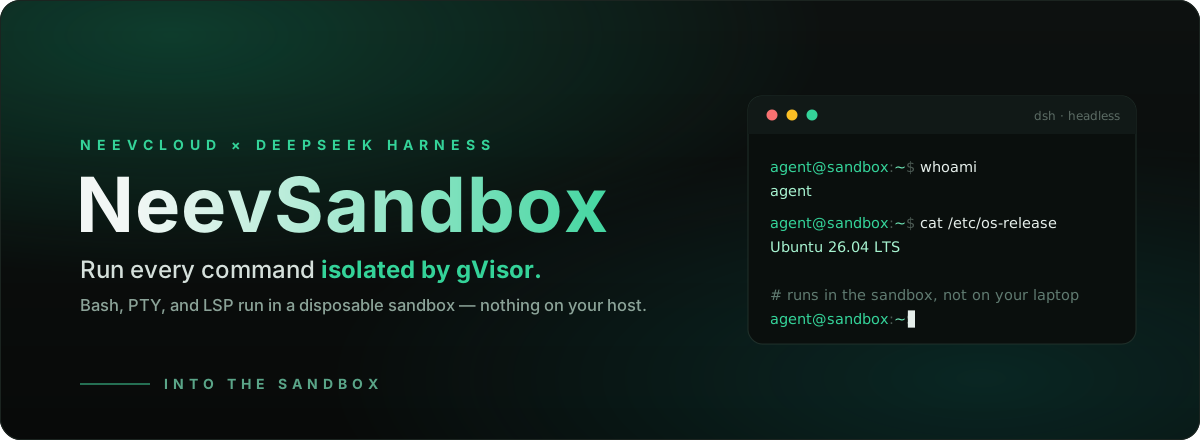




@neevcloud/dsh-sandbox
Give your DeepSeek Harness agent a clean, disposable Linux box for every run.
This bundle relocates the Harness's execution world — files, Bash, PTY, and
LSP — into a short-lived, gVisor-isolated NeevSandbox.
Files the agent writes and commands it runs share one sandbox, nothing runs on
your machine, and there's nothing to fork: drop the bundle into any dsh
install and the stock tools keep working, now executing remotely.
npm install --global @deepseek-ai/dsh
dsh plugin --profile headless add @neevcloud/dsh-sandbox
NEEV_API_KEY=... NEEV_ORG_ID=... NEEV_PROJECT_ID=... \
  dsh --profile headless "clone my repo, run the tests, and summarize the failures"
Your agent's pwd, id, files it writes, servers it starts — all live in the
sandbox, not on your laptop.
Why
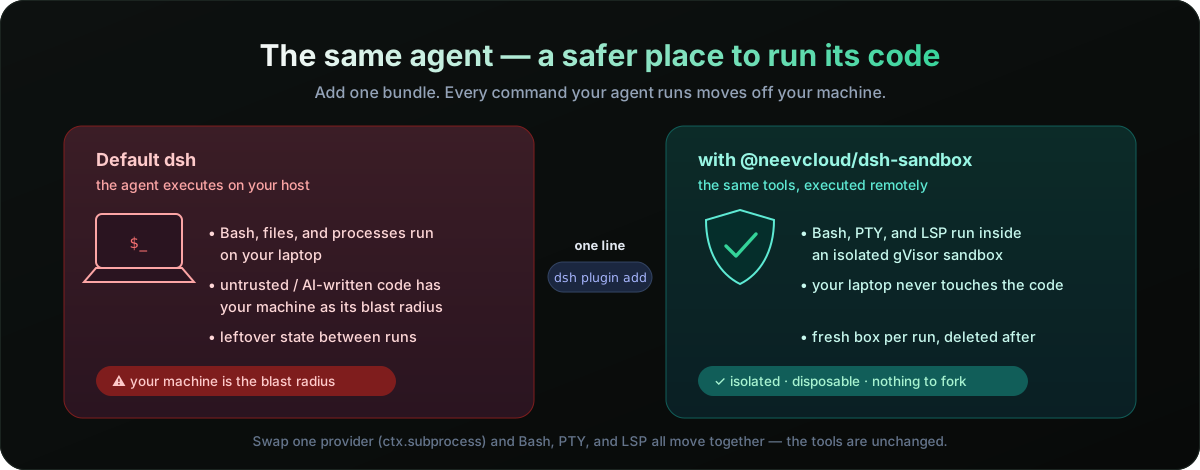
DeepSeek Harness is built on capability seams: swappable interfaces that
providers implement and tools consume. The Harness Bash, terminal, and LSP
tools delegate every execution-world operation to one seam — ctx.subprocess.
Replace that single provider and all of them move together, with no changes
to the tools themselves. That's the whole idea here: one small bundle, and your
agent's execution world is a remote sandbox.
Follows the Harness capability-seam model and installs through the standard
dsh pluginbundle mechanism — no Harness source changes, no monorepo checkout.
How it works
Three Cordis services, shipped as one bundle:
| Entry point | Registers | Role |
|---|---|---|
@neevcloud/dsh-sandbox/runtime | ctx.neev | Owns one sandbox: create → ready → delete on exit |
@neevcloud/dsh-sandbox/subprocess | ctx.subprocess | Runs processes and PTYs in that sandbox |
@neevcloud/dsh-sandbox/filesystem | ctx.fs | Reads, writes, edits, and lists files in that sandbox |
A shipped cordis.patch.yml wires them in: it disables the local subprocess
provider, inserts the two Neev rows, and sets the sandbox-aware Bash executor to
delegate straight through. dsh plugin add applies it for you.
Use cases
- Run untrusted or AI-generated code off your machine — the blast radius is a disposable gVisor sandbox that's deleted when the run ends.
- A fresh box per task. Every
dshrun gets its own clean Linux environment; no leftover state, no "works on my laptop." - Fan out agents in parallel, each isolated in its own sandbox, without them stepping on each other's files or processes.
- Reproducible, CI-like execution decoupled from whatever is installed on the host.
- Long-running or interactive work — dev servers, REPLs, and TUIs run over a real PTY inside the sandbox.
Install
npm install --global @deepseek-ai/dsh
dsh plugin --profile headless add @neevcloud/dsh-sandbox
Set your Neev credentials in the host environment (never commit them):
export NEEV_API_KEY=...      # your Neev API key
export NEEV_ORG_ID=...       # organization id
export NEEV_PROJECT_ID=...   # project id
New to NeevCloud? Create an API key and find your organization and project ids by following Retrieve organization and project IDs in the Agentic Studio quickstart.
Then run a task:
dsh --profile headless "use Bash to run 'cat /etc/os-release' and 'id -un', and report the output"
A successful run reports the sandbox's OS and user — not your host's — and prints the sandbox id at both lifecycle boundaries:
NeevSandbox created: <sandbox-id>
NeevSandbox terminated: <sandbox-id>
Verify the wiring anytime with dsh --profile headless --dump-config: the
subprocess row is disabled and the neev-runtime / neev-subprocess rows are
inserted.
Local development install
git clone https://github.com/NeevCloudAI/dsh-neev-sandbox && cd dsh-neev-sandbox
npm install && npm run build
dsh plugin --profile headless add .
Configuration
The runtime module accepts these Cordis config fields (all optional):
| Field | Default | Meaning |
|---|---|---|
orgId | NEEV_ORG_ID | Organization id |
projectId | NEEV_PROJECT_ID | Project id |
templateId | sb-ubuntu-26-04-minimal | Sandbox template the server provisions from |
image | — | Explicit OCI image; takes precedence over templateId |
cwd | discovered | Absolute working directory; discovered via pwd when omitted |
The API key is read only from NEEV_API_KEY — it is never a config field,
so a secret can never end up in a committed profile patch, and it is never
forwarded into the sandbox.
Override a row in your profile's cordis.patch.yml (a patch replaces the whole
config, so restate what you need):
- id: neev-runtime
  name: '@neevcloud/dsh-sandbox/runtime'
  config:
    templateId: sb-ubuntu-26-04-minimal
Scope and limitations
- File versions are metadata-derived. The SDK exposes no native version
token, so the freshness token guarding
writeText/editTextis a hash of the file's mtime, size, and mode. Guards work; there is a small non-atomic window between the version check and the write. - Writes are atomic via temp + rename, and paths resolve without symlink
canonicalization (
realpath) in this release. - Interactive stdin flows through the terminal (PTY); ordinary managed processes take startup stdin only.
- Environment: only your explicit entries are forwarded; credential-shaped
and
NEEV_*names are always stripped, and the sandbox keeps its own base environment (a base-image variable cannot be unset through the spawn env). - PTY working directory and environment follow the sandbox defaults.
Resources
- Create your first sandbox (Agentic Studio, JS SDK) — get an API key and your org/project IDs
- Sandbox Runtime API reference — the sandbox APIs this bundle builds on
- AI Agent API reference — the agent platform APIs
@neevcloud/sdk— the JavaScript SDK the providers use- DeepSeek Harness capability seams — the
ctx.subprocess/ctx.fsmodel this plugs into
Develop
npm install
npm run check      # lint · typecheck · test · build
npm pack
Live tests exercise a real sandbox and skip automatically unless NEEV_API_KEY
(with NEEV_ORG_ID / NEEV_PROJECT_ID) is set. Both Loader entry points
default-export their service class.
For a self-contained taste of the providers without dsh or a model, run
examples/quickstart.mjs — it runs a command in the
sandbox, writes a file with ctx.fs, and reads it back with Bash:
npm install && npm run build
NEEV_API_KEY=... NEEV_ORG_ID=... NEEV_PROJECT_ID=... node examples/quickstart.mjs
License
Apache 2.0 — see LICENSE.
Related plugins
archify (deepseek-harness)
tt-a1i/archify
WeKnora (dsh-weknora)
tencent/weknora
weknora
tencent/weknora
BrowserSkill (dsh-plugin-browserskill)
tencent/browserskill