dsh-remote-runtime
artificialnotimbecile/dsh-remote-runtime
Managed, isolated DeepSeek Harness runtimes over OpenSSH with a native Web control surface.
Instalar
dsh plugin --profile web add github:artificialnotimbecile/dsh-remote-runtimeREADME
DSH Remote Runtime
English | 简体中文
Run an isolated, official DeepSeek Harness on a Linux host and manage it through OpenSSH. This standalone community plugin adds remote profiles, Doctor checks, verified runtime installation, tunnels, workspaces, credentials, and Session history to the DSH 0.1.0-rc.8 Web UI—without modifying Harness source.
SSH, files, processes, and secrets stay in the plugin Host. The browser receives bounded JSON summaries and never reads a stored credential.
Demo
Captured from a real OpenSSH-managed runtime using an actual DeepSeek API credential. The key was imported before recording and never entered the browser, screenshots, GIF, logs, or repository.
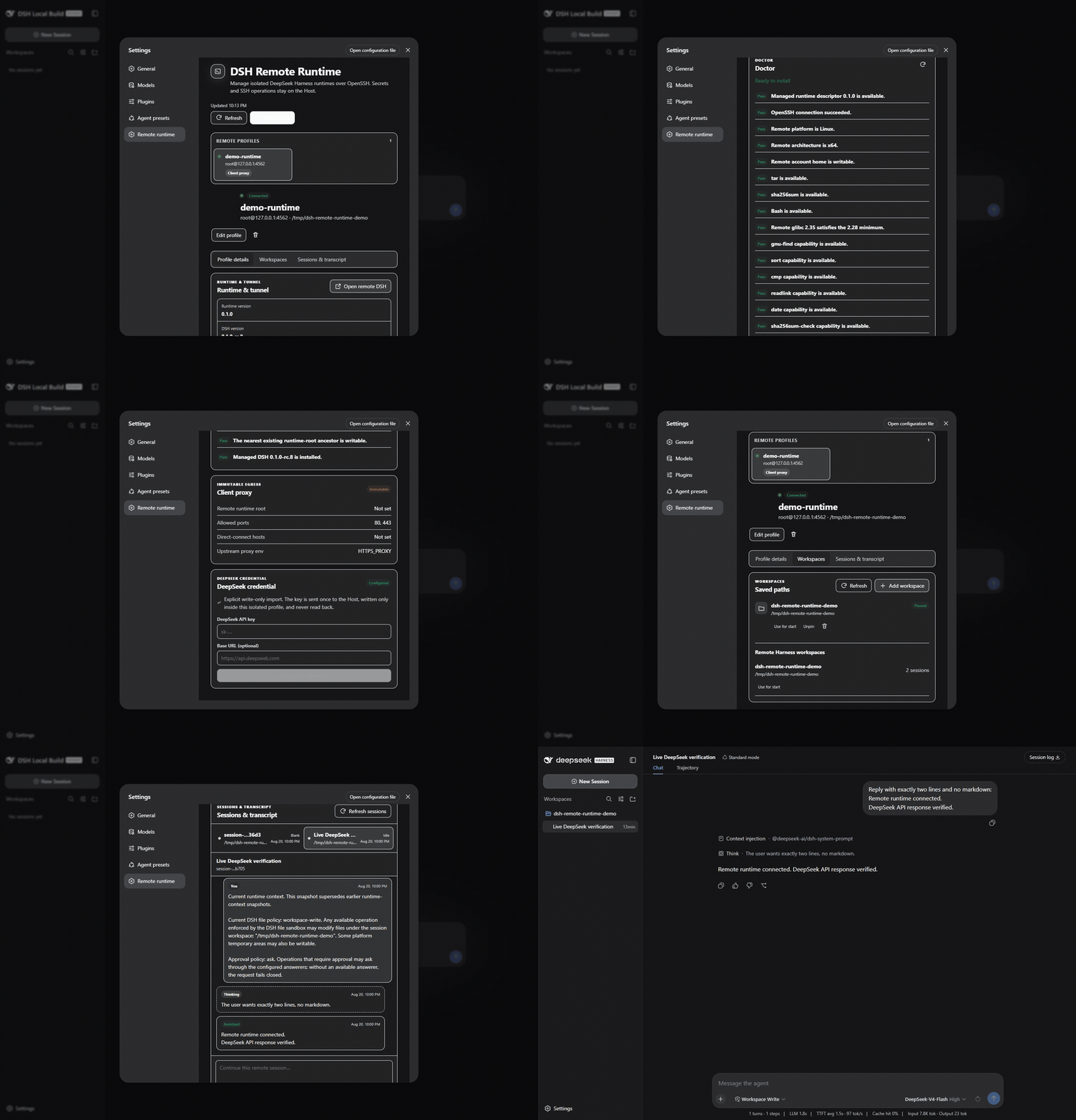
More screenshots
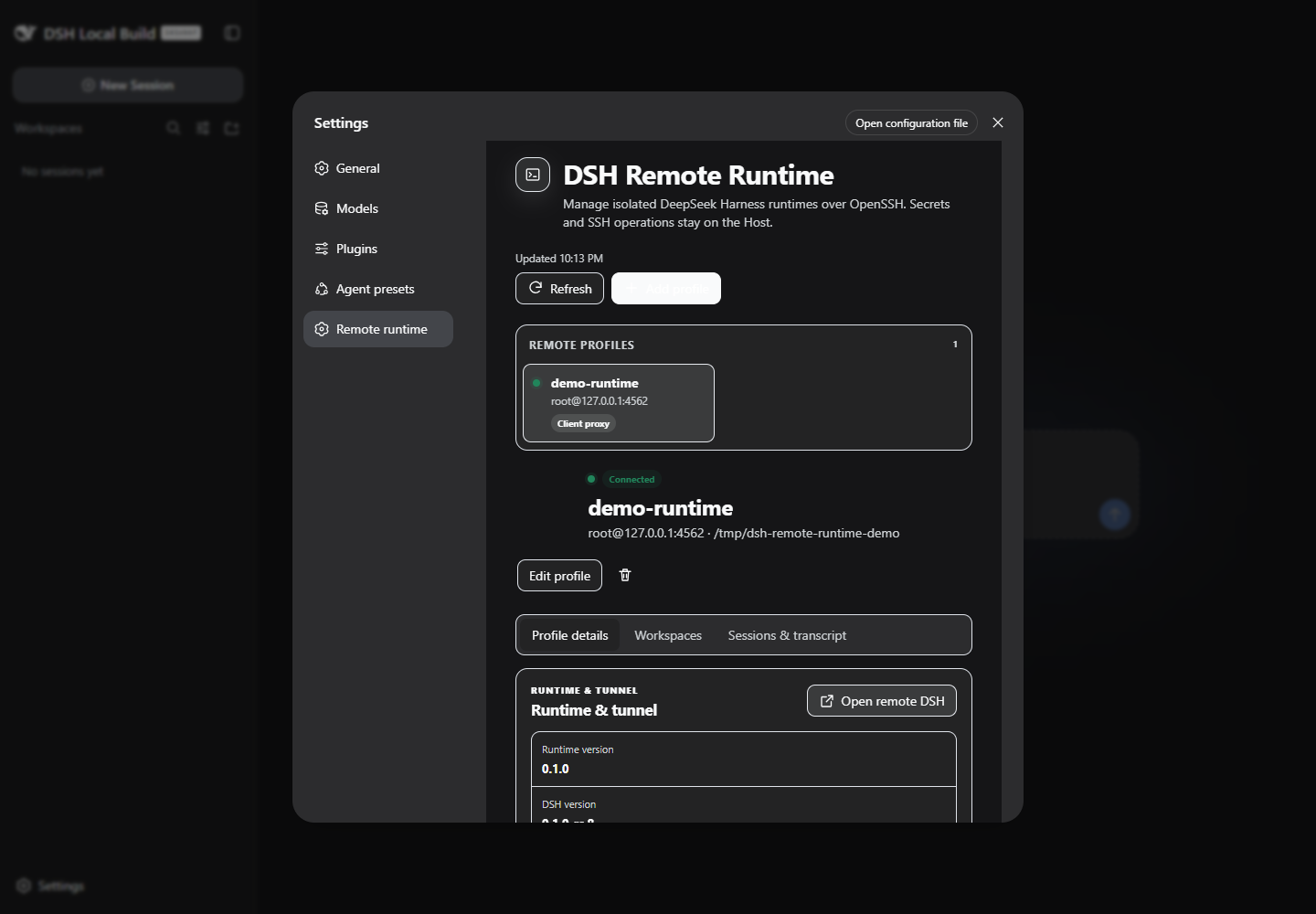 Connected profile and runtime |
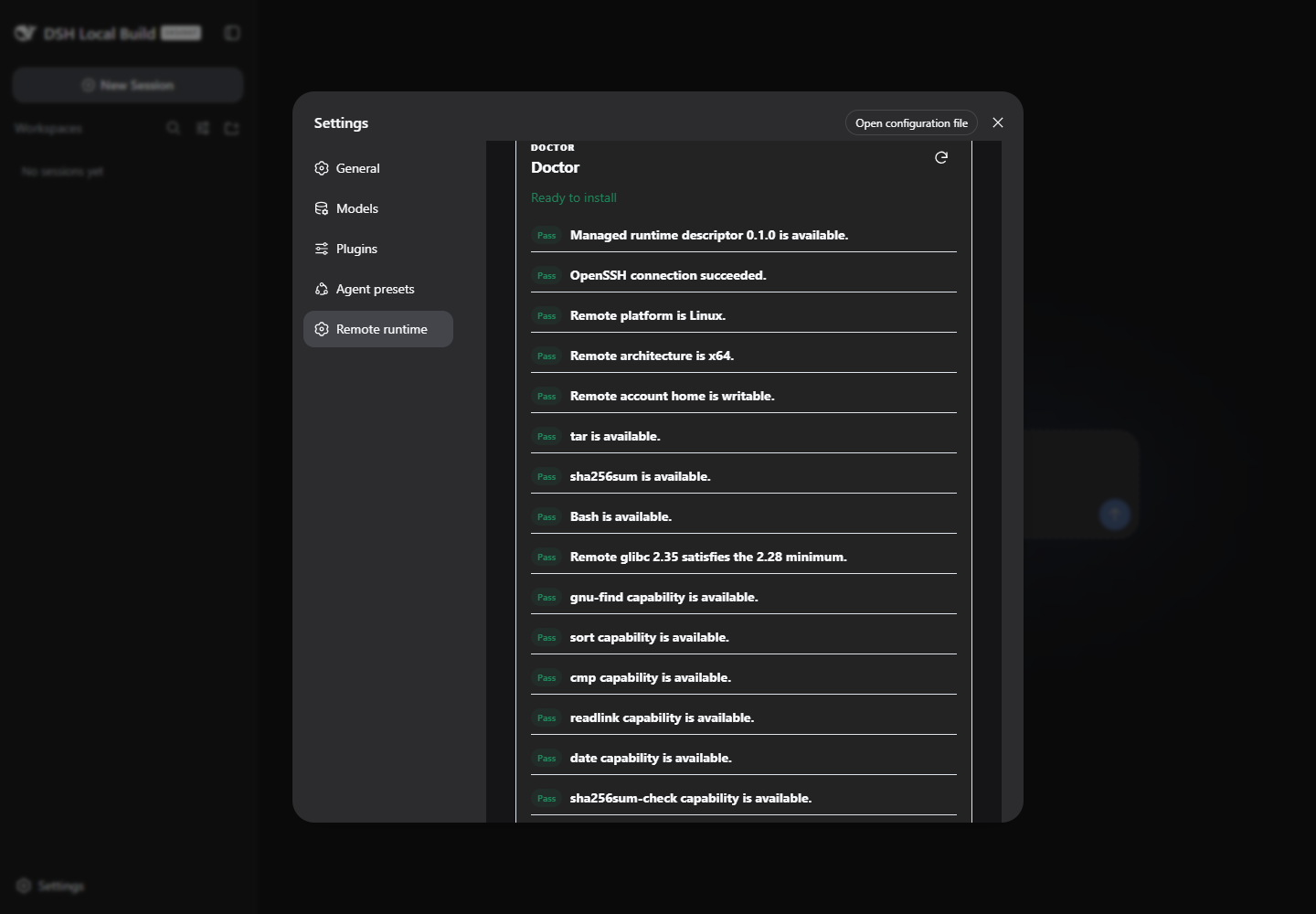 Read-only Doctor checks |
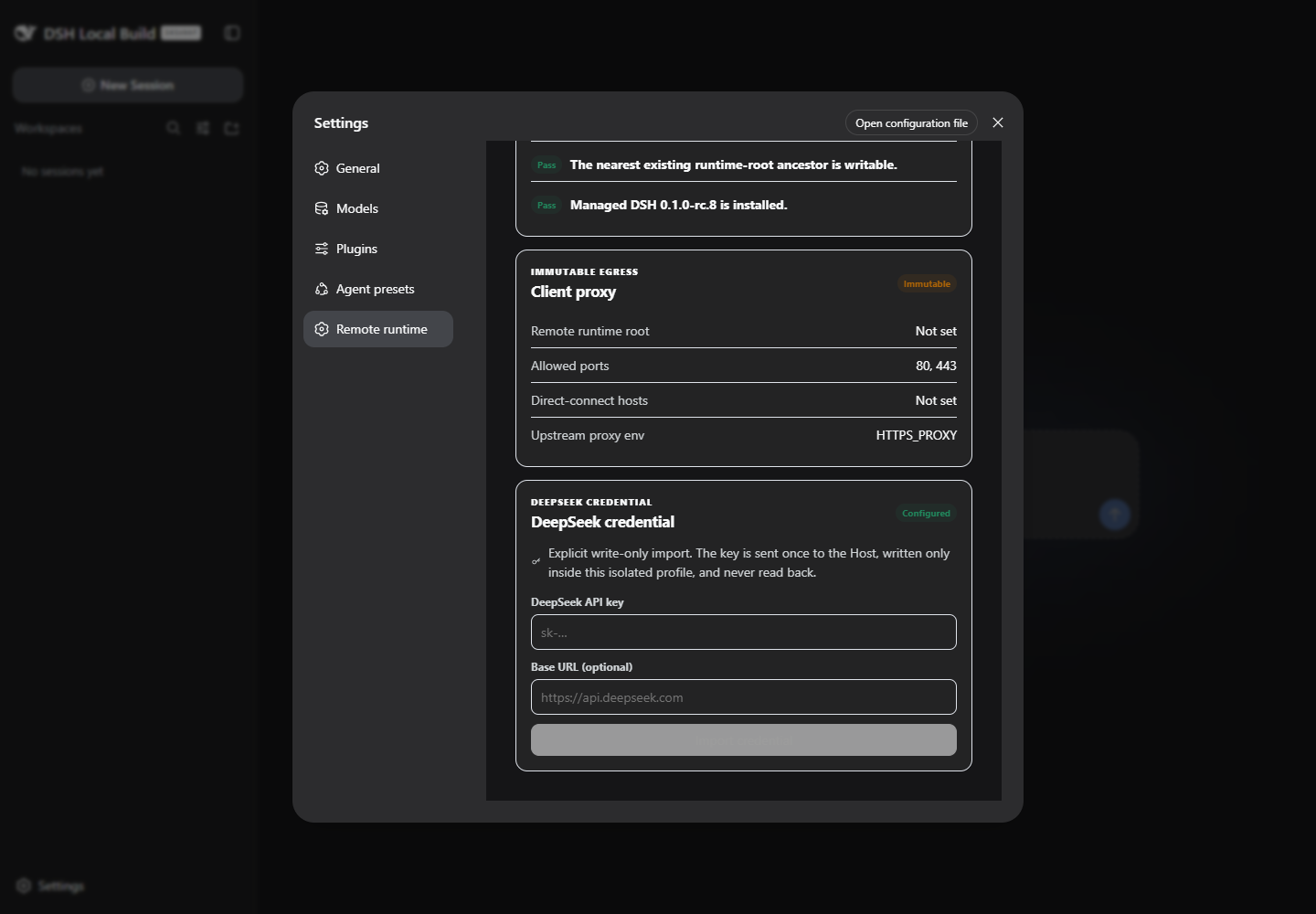 Write-only credential status |
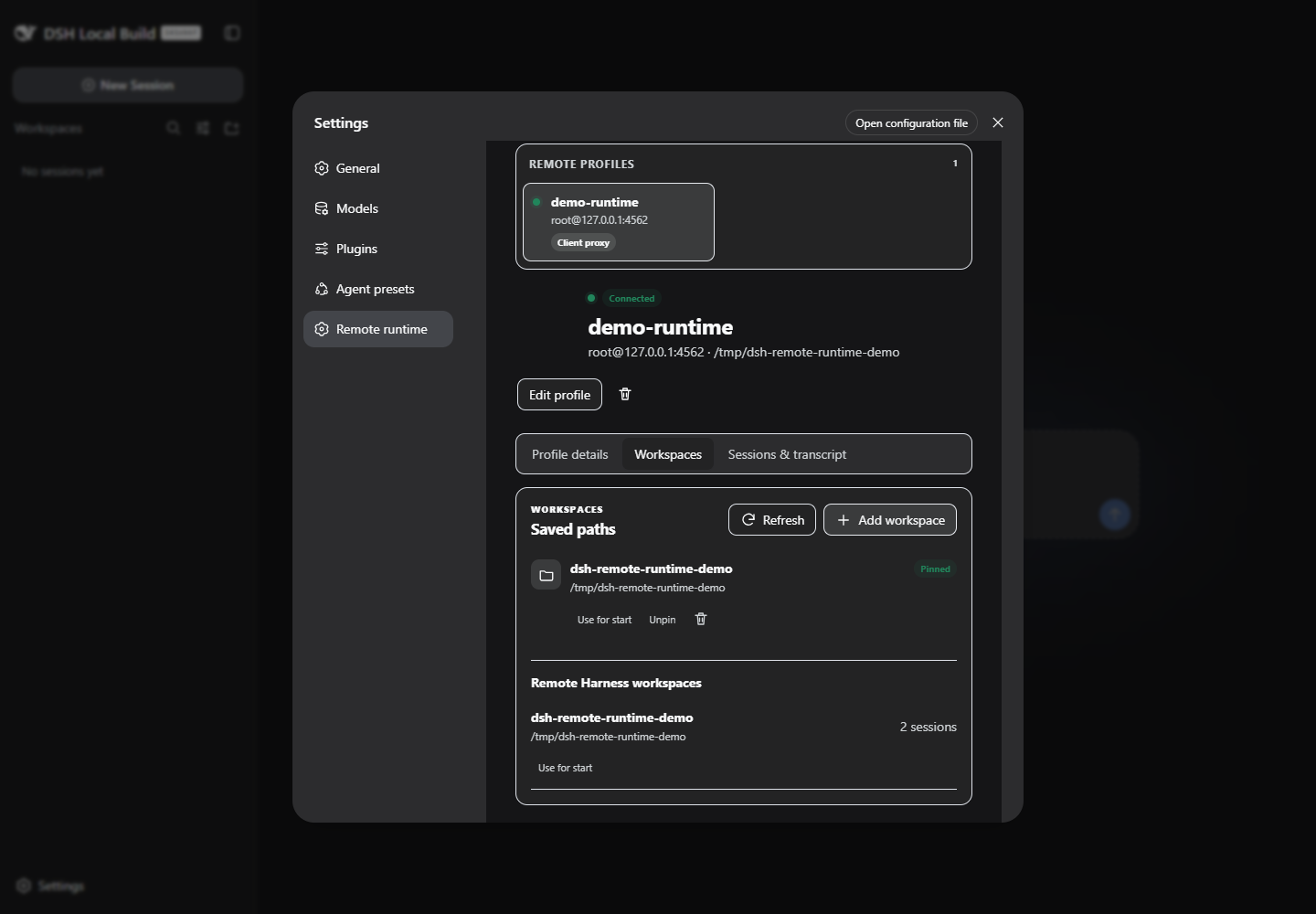 Saved and Harness workspaces |
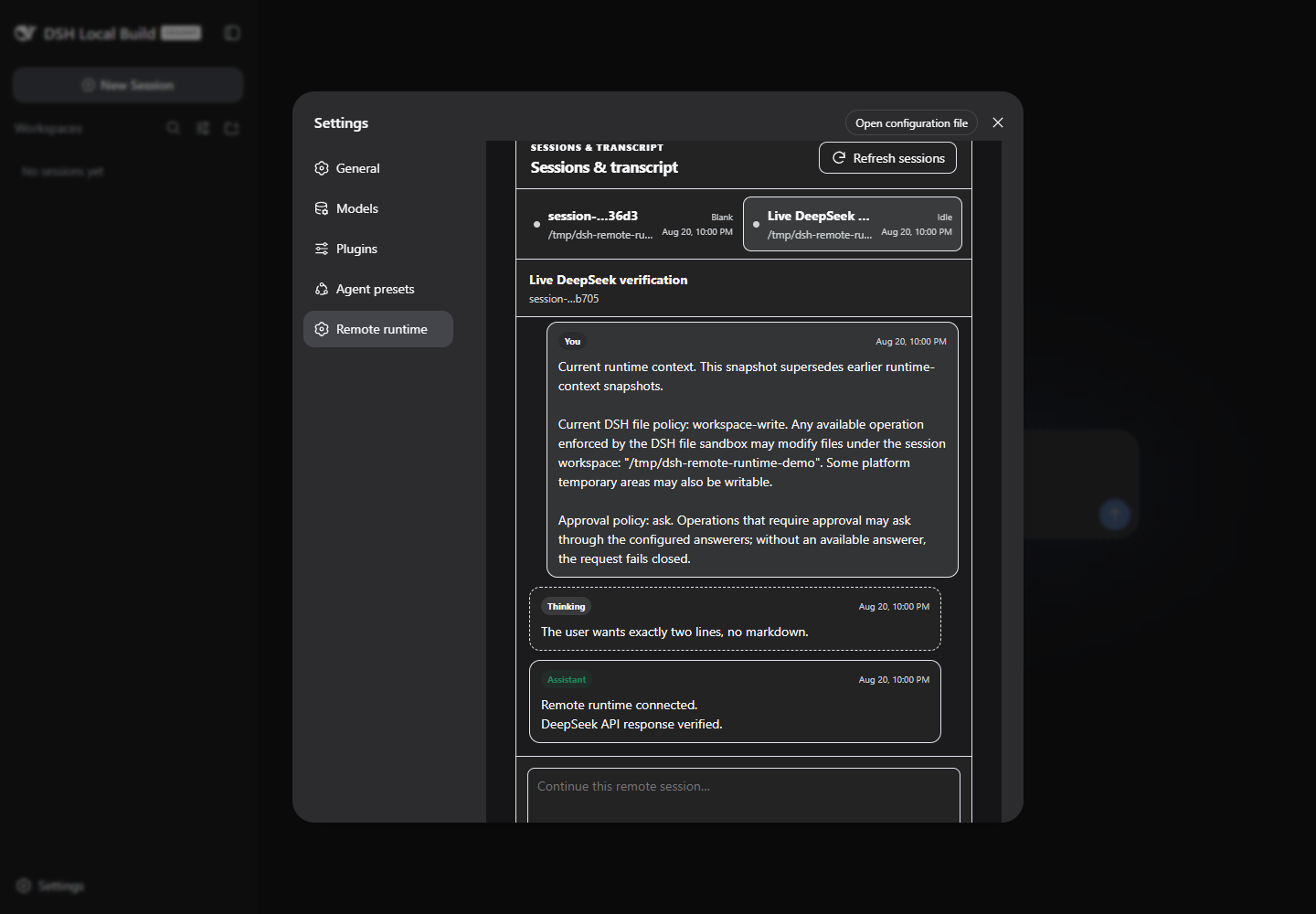 Official Session history and prompt UI |
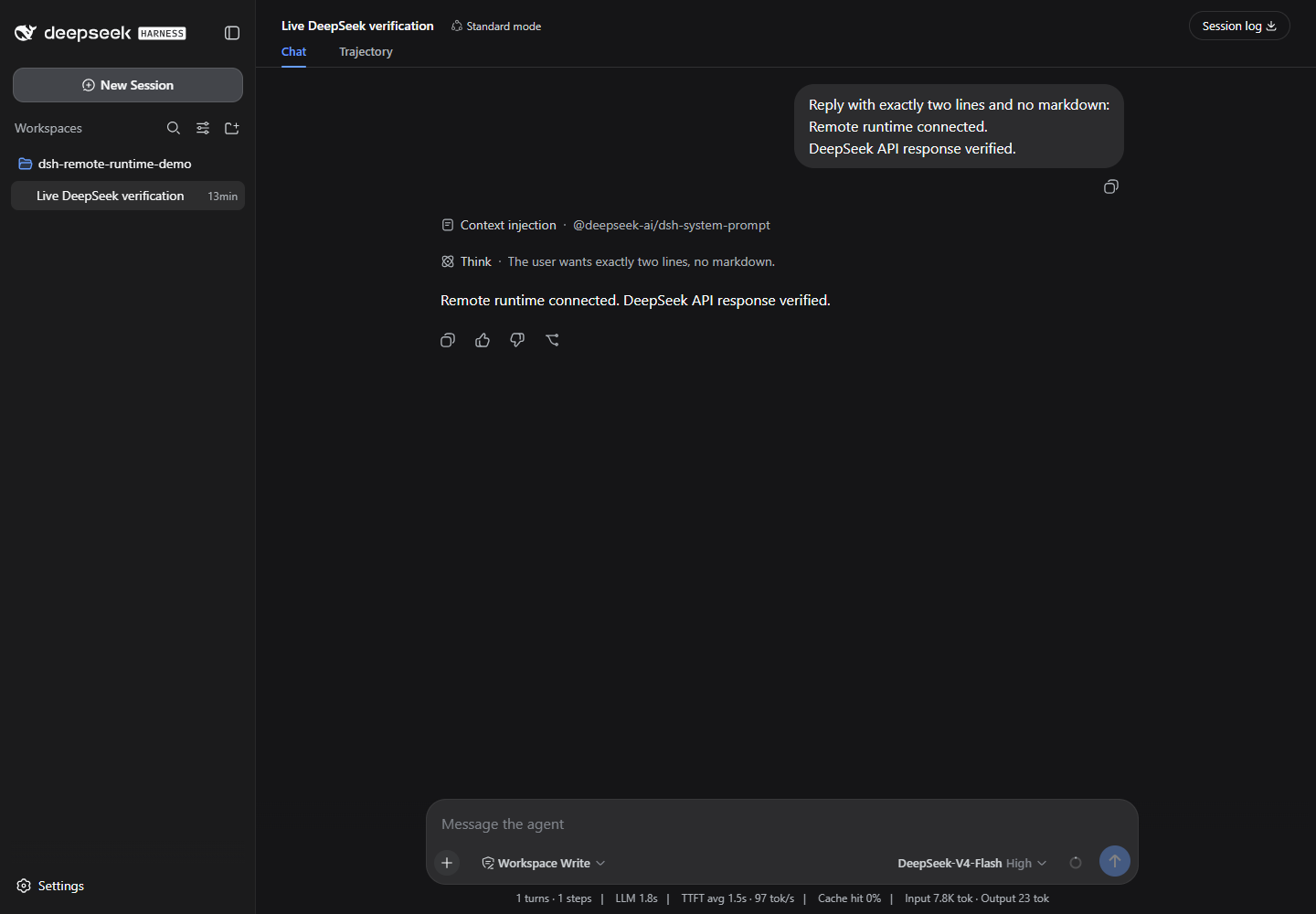 Complete DSH UI through the loopback tunnel |
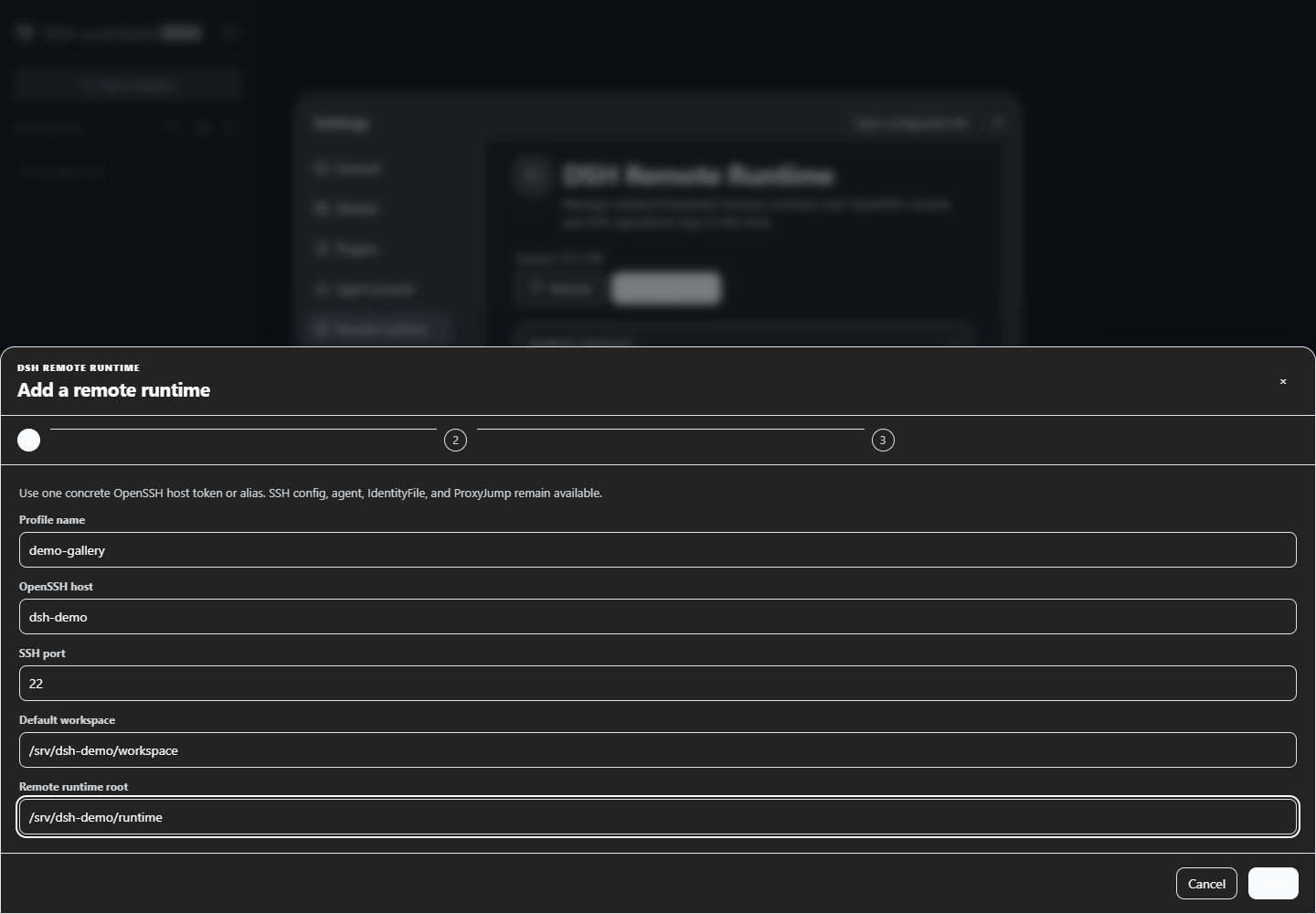 Host and isolated workspace |
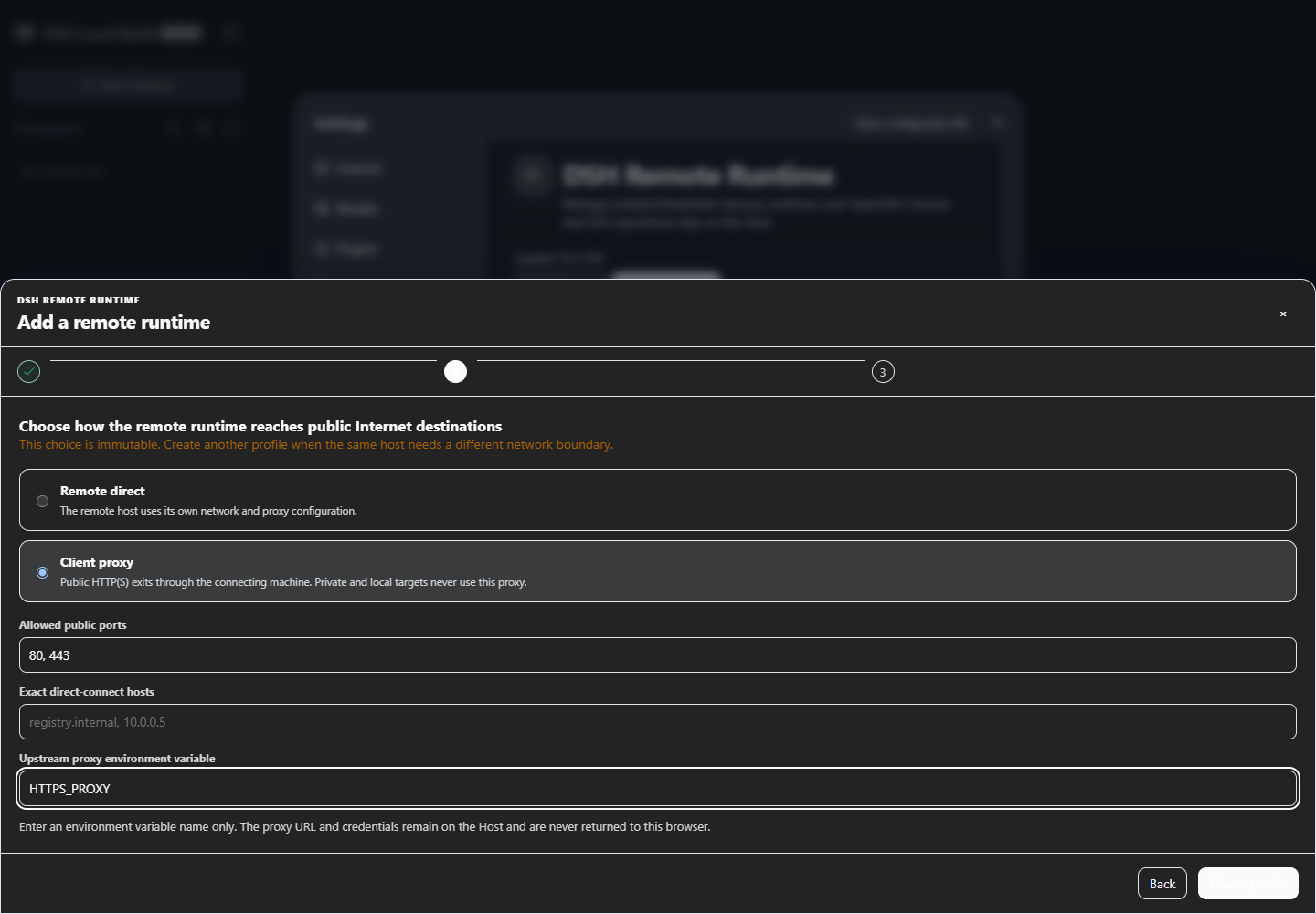 Remote-direct or client-proxy |
Install
npx.cmd --yes @deepseek-ai/dsh@0.1.0-rc.8 plugin --profile web add `
  @artificialnotimbecile/dsh-remote-runtime@latest
npx.cmd --yes @deepseek-ai/dsh@0.1.0-rc.8 web
Restart an already-running Web profile after adding, updating, or removing the plugin.
Build from a checkout
corepack pnpm install --frozen-lockfile --ignore-scripts
corepack pnpm run check
corepack pnpm pack --pack-destination test-results

npx.cmd --yes @deepseek-ai/dsh@0.1.0-rc.8 plugin --profile web add `
  .\test-results\artificialnotimbecile-dsh-remote-runtime-0.1.2.tgz
Use
Open Settings → Remote runtime:
- Add an OpenSSH host and optional remote workspace.
- Choose immutable
remote-directorclient-proxyegress. - Run read-only Doctor, then explicitly install the verified runtime.
- Import a DeepSeek key through the write-only form.
- Start the runtime and open the loopback tunnel URL.
- Browse workspaces, Session history, and send or cancel prompts.
Disconnect leaves the remote Harness running. Stop is separate, and removing a local profile never deletes remote runtime or Session data.
Highlights
- A distinct profile UUID and remote
DSH_HOMEisolate credentials, Sessions, workspaces, and process state. - System OpenSSH keeps SSH config,
IdentityFile, ssh-agent, andProxyJumpunder user control. - The content-addressed runtime includes Node 22.19 and official DSH rc.8; the archive and every extracted file are SHA-256 verified.
- Workspace, Session, history, prompt, and cancel operations use the official DSH Host API.
- Credentials are written mode
0600and never returned to browser state, logs, snapshots, or process arguments. - Authenticated client-proxy egress allows public HTTP(S) only; private, loopback, link-local, CGNAT, metadata, multicast, documentation, and IPv6 local ranges fail closed.
Compatibility and security
- Local DSH: exactly
0.1.0-rc.8; UI: Web profile. - Client: Windows, macOS, or Linux; Node
^22.19.0 || >=24; systemssh. - Remote: Linux x64, glibc 2.28+, Bash,
tar,gzip,sha256sum, and a writable home. - Every tunnel listener binds loopback; the remote DSH Web API is never exposed on
0.0.0.0. - SSH is the access-control boundary. Use a separate remote OS account when same-UID process isolation is required.
DeepSeek Harness is pre-release software. Later DSH versions remain unsupported until peer versions, Typert generation, assembled-profile CI, and live acceptance move together.
Development
corepack pnpm run typecheck
corepack pnpm run test
corepack pnpm run build
corepack pnpm run pack:check
Managed runtime builds require Linux or WSL; executing it requires glibc 2.28+. Generated archives, profiles, screenshots, and live logs remain under ignored runtime/artifacts/ and test-results/.
License
MIT. Independent community plugin; not affiliated with or endorsed by DeepSeek. See THIRD_PARTY_NOTICES.md.
Plugins relacionados
dsh-web (dsh-ssh)
zhu1090093659/dsh-web
dsh-web (dsh-remote-web-ui)
zhu1090093659/dsh-web
dsh-web-ui (dsh-ssh)
zhu1090093659/dsh-web-ui
dsh-web-ui (dsh-remote-web-ui)
zhu1090093659/dsh-web-ui