dsh-power-button
keyiadiannao/dsh-power-button
A small self-contained power control for DSH: sidebar power button with an upward restart/shutdown menu and a Windows-shutdown-style overlay. Own restart & shutdown engine (no dependency on other plugins), dynamic-port aware.
Instalar
dsh plugin --profile web add github:keyiadiannao/dsh-power-buttonREADME
dsh-power-button


A self-contained power & lifecycle controller for DeepSeek Harness: a sidebar power button with a Restart / Shutdown menu and a full-screen transition overlay. The restart/shutdown engine is built into the plugin — no third-party dependencies.
Developed with DeepSeek AI assistance; reviewed before release.
Features
- Sidebar power button in the footer action slot, theme-aware and styled to match the adjacent Settings trigger.
- Restart / Shutdown menu with a Windows-style full-screen transition overlay; the page auto-reloads after a confirmed restart.
- Self-contained restart engine: writes a detached
.cjshelper that waits for the old process to exit and the port to free, then relaunches DSH with the sameexecPath/execArgv/argv/cwd. No PowerShell, notaskkill. /restartand/shutdowncommands, plus arestart_harnessmodel tool (same name asanweat/dsh-restart; registration is skipped when another plugin already owns the name).- Localized UI and host notices (zh / en), following the profile's
locale.preference. - Startup housekeeping:
restart-helper-*.logfiles older than 7 days are pruned from the runtime directory.
Screenshots
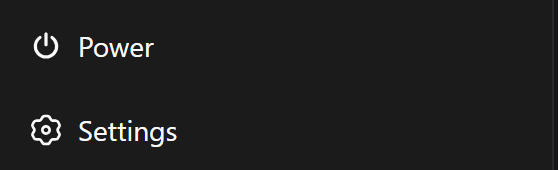
① Sidebar power button — a theme-aware footer entry, styled to match the adjacent Settings trigger.
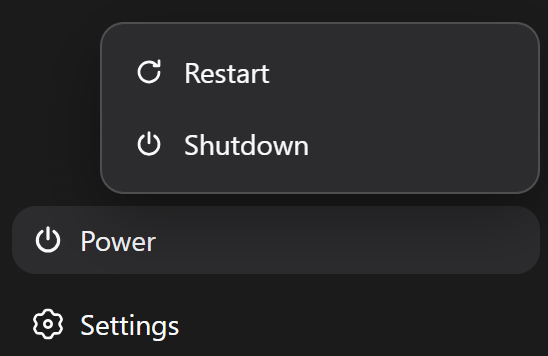
② Restart / Shutdown menu — opens from the power button; two actions, one click away.
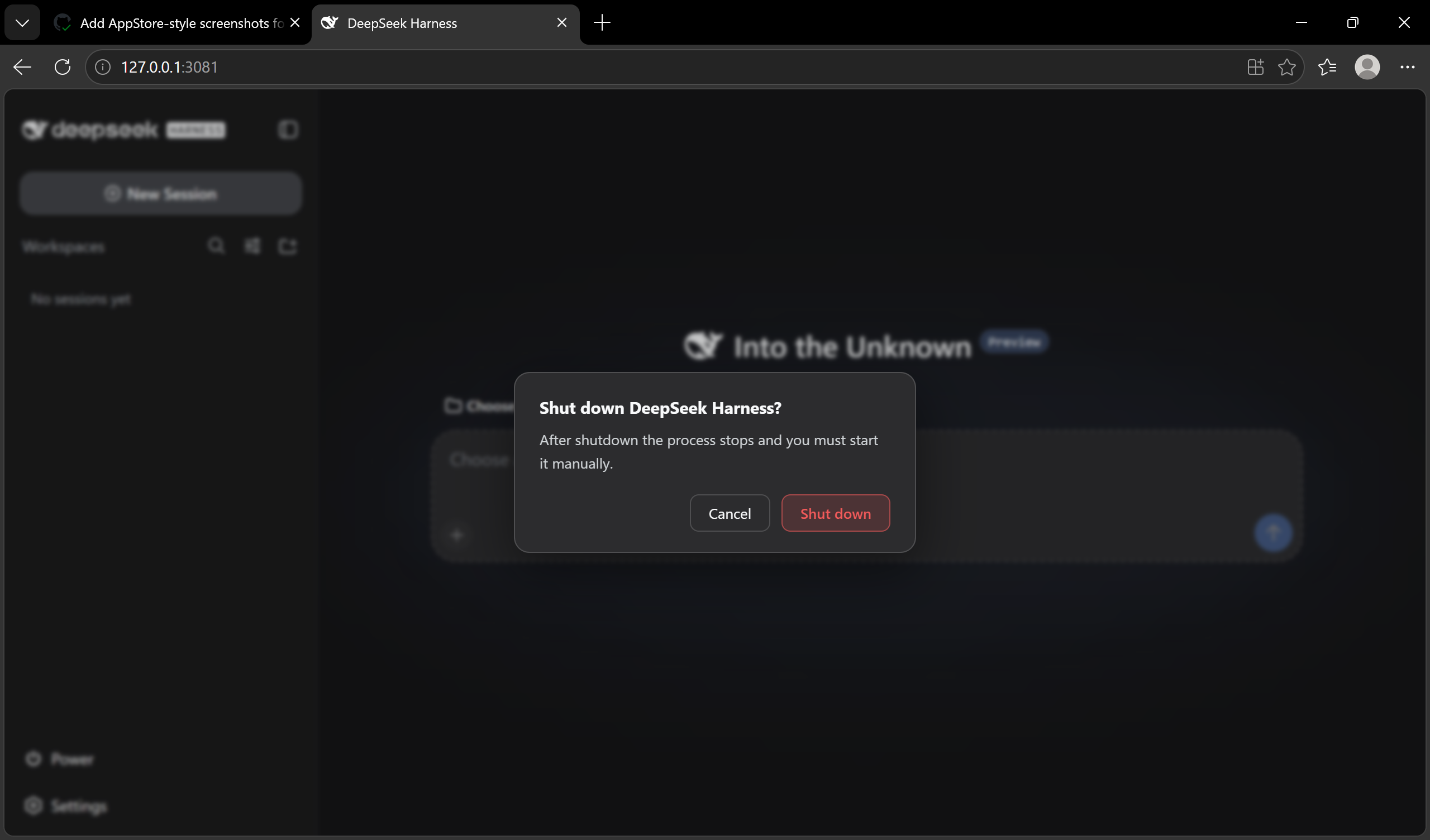
③ Shutdown confirm dialog — guard against accidental shutdowns: the default focus sits on Cancel, and only an explicit confirm actually stops the process.
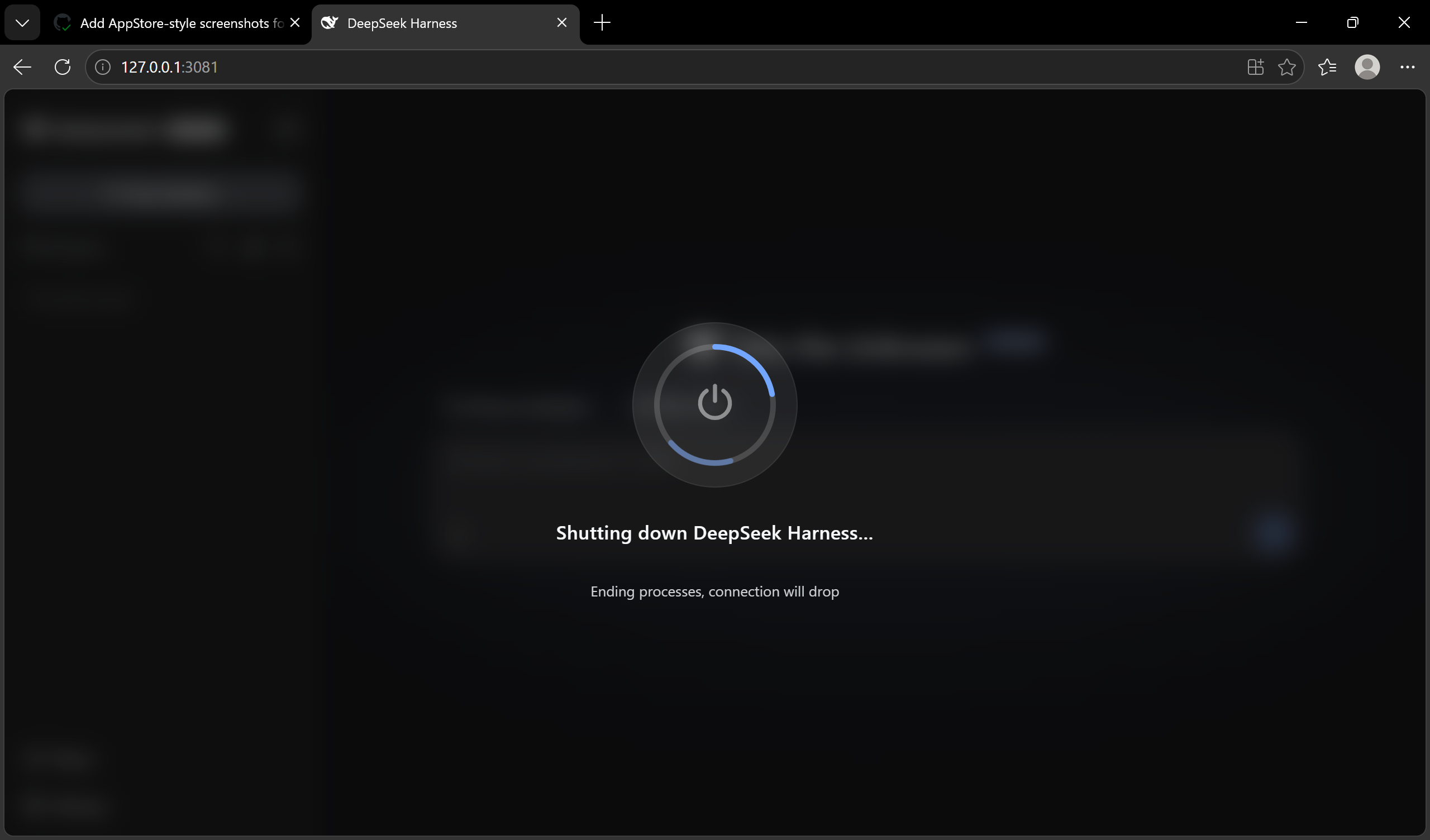
④ Shutdown progress overlay — a Windows-style full-screen transition showing the current stage while the process winds down.
⑤ Restart completed toast — after the page auto-reloads, a success notice confirms DSH is back.

Install
dsh plugin --profile web add "github:keyiadiannao/dsh-power-button#master"
Restart DSH; a power button appears in the sidebar footer. Requires Node ≥ 22.19.
Configuration
The plugin is configured through the profile's cordis layer (cordis.patch.yml or the settings UI):
| Key | Default | Meaning |
|---|---|---|
enableModelTool | true | Register the restart_harness model tool. Set false to keep restart exclusively on the GUI button and /restart. |
maxDelayMs | 5000 | Upper bound (ms) for the model tool's delayMs argument. The effective floor is 1000 ms. |
Example:
- id: dsh-power-button
  config:
    enableModelTool: true
How it works
click power → menu → Restart
[host]    POST /api/dsh-power-button/restart
          → write ~/.dsh/restart-helper-<pid>-<ts>.cjs
          → spawn `node <helper>` (detached, windowsHide)
[helper]  wait for old PID to exit → wait for port to free
          → spawn DSH again with same execPath/argv/cwd → self-delete
[host]    terminate after the HTTP response flushes
[client]  poll health → confirm new instanceId → auto reload
Shutdown posts /api/dsh-power-button/shutdown and terminates without relaunching. Because it is irreversible (the process must be started manually), the GUI confirms shutdown in a dialog before it fires — a second click is required. (/shutdown and the model tool remain single-action by design; the model never exposes shutdown.)
Design notes (from real issues hit during development):
- The helper must run outside the process tree (
detached+unref), otherwise terminating DSH kills the helper mid-flight. - The helper is a real
.cjsfile, notnode -e: multi-linenode -escripts are mangled by WindowsCreateProcessand die with a silentSyntaxError. - Restart success is confirmed by a per-process
instanceIdthat must change (old → new), so a brief outage alone never fakes success. - Durable-write quiescence: after the old process exits and the port frees, the helper polls every session log's
(size, mtimeMs)until two consecutive samples are identical (bounded at ~15s) before relaunching. The old process's session write-behind buffer can keep draining after its main loop exits; relaunching into a file that is still being appended interleaves stale seq numbers and corrupts the session — this check closes that window. - The launcher's exit request is read as a service, not a property: it lives at
ctx.get('appExit').appExitis an optional host value this plugin does not declare ininject, so the context proxy resolvesctx.appExittoundefined— reading it as a property silently skipped graceful disposal on every restart and shutdown, hard-killing throughprocess.exitinstead (losing the tree teardown, the storage flush, and the port release). Official readers (dsh-cmdline,dsh-headless) go throughctx.getfor the same reason. - Graceful exit is bounded: after requesting
appExit, a 15s watchdog hard-exits if the process is still alive. DSH disposes the tree under its own 5s cap, but that cap only forces exit while disposal is still running — a disposal that resolves early leaves the process to end on its own, and a single lingering handle (background job, MCP child, plugin-owned listener) can then keep the event loop alive past the helper's 30s patience, at which point the helper gives up without relaunching and the user is left with no server. The watchdog keeps the restart inside the helper's patience either way.
Safety
- Destructive POSTs are protected by a same-origin / loopback guard (CSRF): the socket must be loopback,
Hostmust be a loopback authority, and a browserOriginmust match. - An at-most-once latch rejects duplicate transitions (a concurrent second POST gets
409). - The model tool's
delayMsis floored at 1000 ms — the model cannot kill the process before its own turn settles. - The restart marker is consumed (deleted) on boot, so a later ordinary launch never misreports a restart.
- Command-line logging is redacted (credentials never reach
~/.dsh/restart-helper-<pid>.log); helper and marker files are written0600, the runtime directory0700.
Restart confirmation — UI toast, never written into a session
After a successful restart the plugin shows a small localized toast
("Restarted" / "已重启" depending on the UI language) in the corner of the UI.
This is purely a UI notice: nothing is written into any session log. (This
replaced an earlier design that
appended a synthetic assistant/message (turn: 0, step: 0) into the resumed
conversation — that approach tripped the token-meter's step-pairing invariant
and could corrupt large sessions, so it was removed. Tracked upstream:
deepseek-ai/DeepSeek-Harness#802.)
Mechanics:
- On boot, if the restart marker was consumed,
/healthreportsrestarted: true, fromInstanceId: <old>. /healthalso reportsappExit: "available" | "missing"— whether the launcher-provided exit channel actually resolves in this host.missingmeans every restart falls back toprocess.exit(no graceful disposal), so the field turns a 30s restart stall into a one-request diagnosis.- The client checks
/healthonce after load; whenrestartedis true it shows the toast, then ACKs viaPOST /api/dsh-power-button/notice-shownso a later refresh does not re-show it. - Because the confirmation never touches a session file, a restart can no longer corrupt session logs or leave unpaired events behind.
Development
npm run build        # tsdown: host + client bundle
npm run typecheck    # tsc --noEmit
npm test             # vitest: marker lifecycle, delayMs clamp, argv redaction, log pruning, exit channel
Tests isolate DSH_HOME via a vitest setup file, so they never touch your
real ~/.dsh. Artifacts: host at lib/index.js, client bundle at
lib/client.js (both committed — git installs are build-free).
License & Attribution
MIT. The "detached helper relaunch" idea follows anweat/dsh-restart (MIT); the implementation is independently written (real .cjs file, no PowerShell, dynamic port), no code copied.
Plugins relacionados
deepseek-harness
deepseek-ai/deepseek-harness
dsh-web (dsh-plugin-manager)
zhu1090093659/dsh-web
dsh-web
zhu1090093659/dsh-web
dsh-web-ui (dsh-plugin-manager)
zhu1090093659/dsh-web-ui