dsh-codebase-memory-mcp
lovedolove/dsh-codebase-memory-mcp
Ponte MCP do Codebase Memory para DeepSeek Harness: seis ferramentas de código para o grafo de conhecimento, daemon em segundo plano com inicialização automática e UI Web de visualização, além de skill de agente incluída.
Instalar
dsh plugin --profile web add github:lovedolove/dsh-codebase-memory-mcpREADME
Codebase Memory for DeepSeek Harness
Give your agent a map of the codebase instead of a bag of greps.



English · 中文 · Whitepaper · Docs
The problem
grep finds text. It does not know that Object.handler is called by three tools, that apply is the entry point, or that src/engine.mjs is imported by src/index.mjs and nothing else. Every time your agent needs to answer "who calls this", it greps, reads five files, and guesses.
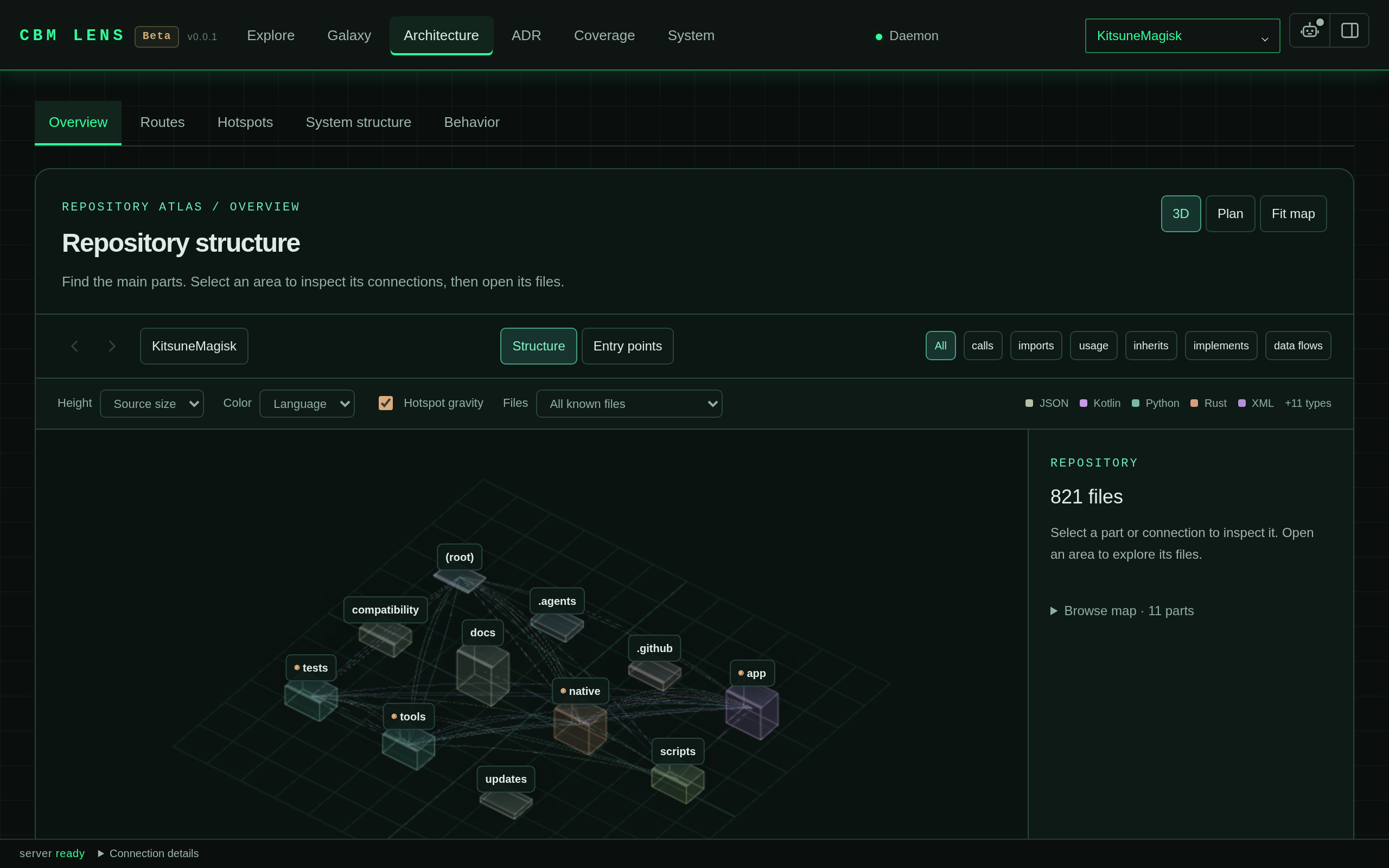
This plugin gives DeepSeek Harness a real code graph. It bridges to codebase-memory-mcp, keeps the daemon running, and registers six tools that answer structural questions directly. The agent asks once and gets the call chain.
Quick start
# 1. Install the plugin into your DSH profile
dsh plugin --profile web add @lovedolove/dsh-codebase-memory-mcp

# 2. Make sure the binary is on your PATH (or set CBM_EXE)
codebase-memory-mcp --version

# 3. Start the harness. The daemon starts with it.
dsh web
On startup you should see this on stderr:
[codebase-memory] 🔍 codebase-memory UI is live: http://localhost:9749/
Open http://localhost:9749/ in a browser and the graph UI is already waiting. Build an index once, then ask the agent about any symbol.
# Index a repository (the tools do not index on their own)
codebase-memory-mcp cli --quiet index_repository '{"repo_path":"/absolute/path/to/repo"}'
Then just ask, or call a tool directly:
cbm_search   { name_pattern: ".*Handler.*" }
cbm_trace    { symbol: "Object.handler", direction: "inbound" }
cbm_snippet  { qualified_name: "app.auth.login" }
What you get
| Tool | Answers |
|---|---|
cbm_projects | What has been indexed, and how fresh is it |
cbm_search | Which symbols match a name, label, or path pattern |
cbm_trace | Who calls this, or what this calls, to a chosen depth |
cbm_snippet | The exact source of one symbol |
cbm_arch | How a directory is structured and what depends on what |
cbm_search_code | A text search for literals, errors, and config values |
Above the tools, the plugin also gives you:
- A live daemon. It starts when the plugin applies, and a later tool call respawns it if the child exited. It is disposed with the plugin. Nothing to supervise.
- A
/cbmcommand. Prints the executable path, the UI URL, and every indexed project with its status. - A bundled agent skill. Ranked at 600, model and user invocable, so the agent reaches for the graph before it reaches for grep.
- Graceful degradation. A missing binary logs one warning and the tools return a degraded result. The plugin never fails to load because the daemon is absent.
- A reusable library. Nine subpath exports, so you can drive the engine from your own code without a harness.
How it works
DSH agent ──▶ cbm_* tool ──▶ engine ──▶ JSON-RPC over stdio ──▶ codebase-memory-mcp
                                                                      │
browser ──▶ http://localhost:9749/ ──▶ graph UI ◀────────────────────┘
Three layers, each replaceable on its own:
- Plugin entry (
src/index.mjs) reads the config, starts the daemon, and registers tools, prompt guidance, the skill, and the command. - Engine (
src/engine.mjs) translates DSH argument names into upstream names, guards the repository boundary, and returns a degraded shape when the binary is missing. - Client (
src/client.mjs) spawns the binary, speaks MCP JSON-RPC 2.0, and owns the process lifecycle.
Read the architecture doc for the reasoning, and the whitepaper for why the boundary sits where it does.
Configuration
Every deployment can set these in cordis.yml:
plugins:
  codebase-memory:
    exePath: /usr/local/bin/codebase-memory-mcp  # falls back to CBM_EXE, then PATH
    uiEnabled: true                              # default true
    port: 9749                                   # default 9749
    eagerStart: true                             # default true
Environment variables win where they apply. See docs/configure.md for the full discovery order.
| Variable | Purpose |
|---|---|
CBM_EXE | Path to the codebase-memory-mcp binary |
CODEBASE_MEMORY_EXE | Legacy alias for CBM_EXE |
DSH_HOME | Where DSH stores state, including index metadata |
Use it as a library
import { CodeIntelligenceEngine } from '@lovedolove/dsh-codebase-memory-mcp/engine'

const engine = new CodeIntelligenceEngine()
const result = await engine.traceCallPath({
  repoRoot: '/path/to/repo',
  symbol: 'Object.handler',
  direction: 'inbound',
  depth: 3,
})

if (result.degraded) {
  console.error('No graph available:', result.message)
} else {
  console.log(result.raw)
}
The full surface is documented in docs/library-api.md.
Requirements
| Requirement | Version |
|---|---|
| DeepSeek Harness | >=0.2.0 <0.3.0 (engines.dsh) |
| Node.js | >=18.0.0 <25.0.0 (engines.node) |
codebase-memory-mcp | Any recent release |
The binary is required for indexing and queries. It is not required for the plugin to load.
The plugin declares five optional peers: @deepseek-ai/cordis at >=4.0.1-rc.1 <5.0.0-0, plus @deepseek-ai/dsh-tools, @deepseek-ai/dsh-system-prompt, @deepseek-ai/dsh-skill, and @deepseek-ai/dsh-commands at >=0.2.0 <0.3.0-0. A missing peer disables the matching feature and logs a warning. It never blocks startup.
Documentation
| Document | Kind | Read it when |
|---|---|---|
| Install | How-to | You want the steps only |
| Configure | Reference | You need a flag, a variable, or a path |
| Tools | Reference | You are choosing a tool or an argument |
| Architecture | Explanation | You want to know why it is built this way |
| Library API | Reference | You are driving the engine yourself |
| Troubleshooting | How-to | Something does not work |
| Whitepaper | Explanation | You want the design argument and the evidence |
| Whitepaper (中文) | Explanation | 你要读中文版的设计论证和证据 |
| AGENTS.md | Reference | You are an agent working in this repo |
Development
npm ci          # install dev dependencies
npm test        # 44 tests, node --test
npm run pack:check
The suite covers the client, engine, discovery, tools, watcher, bridge, and plugin lifecycle. Two tests boot a fake MCP server and assert the real handshake.
Versioning
publish-npm.yml runs on every push to main. It stages the package with npm stage publish, which does not make a release public by itself. A human approves the staged version in an authenticated npm session. Release notes come from CHANGELOG.md.
License
MIT. See LICENSE.
If this saved you a grep, a star helps other people find it.
Plugins relacionados
reactive-resume
amruthpillai/reactive-resume
next-ai-draw-io
dayuanjiang/next-ai-draw-io
scansci-pdf
rimagination/scansci-pdf
cloudbase-ai-toolkit
tencentcloudbase/cloudbase-ai-toolkit