K
dsh-assembly.resume
kanchengw/dsh-assembly.resume
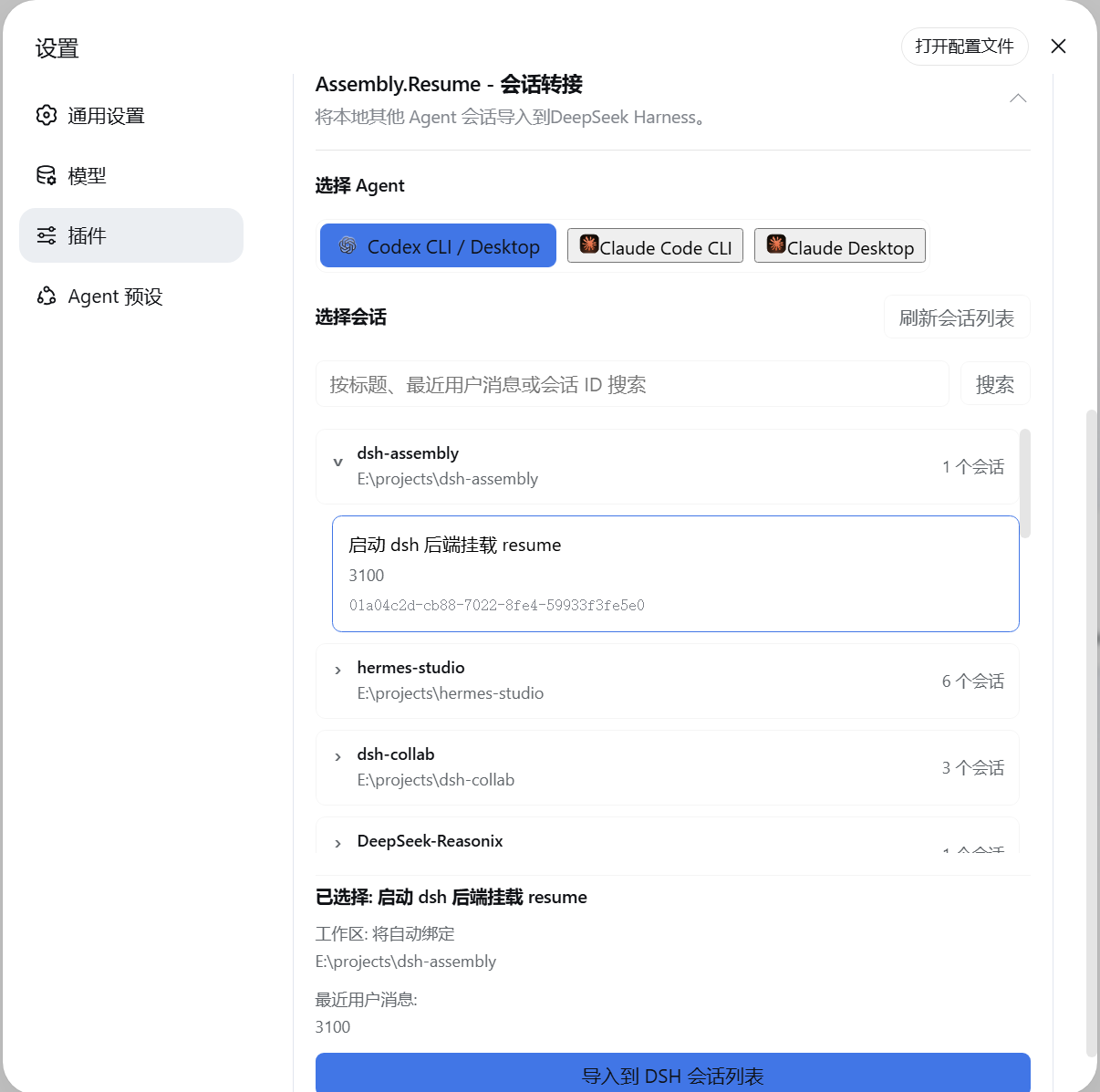
将本地 Codex CLI/Desktop、Claude Code CLI 和 Claude Desktop 会话导入 DSH:按项目分组,保留语义历史和工具活动,可绑定原工作区或新工作区,并由 DSH Agent 继续对话。
安装
dsh plugin --profile web add github:kanchengw/dsh-assembly.resumeREADME
dsh-assembly.resume
Bring an existing Codex or Claude Code conversation into DSH, then continue it with the DSH Agent.
DSH Compatibility
- Supported DSH version:
0.1.7-rc.2(Sep.24)
What It Does
- Finds local conversations from Codex, Claude Code CLI, and Claude Code Desktop.
- Groups conversations by their original project so they are easier to find.
- Imports the selected conversation into DSH, including its visible messages and tool activity.
- Automatically registers and binds an existing source directory as a DSH Workspace.
- If the historical path no longer exists or the original conversation had no workspace, a new workspace can be specified during handoff. Otherwise, the conversation imports unbound and the old directory is never recreated.
- Continue the conversation in DSH after transfer.
Installation
Install the package from npm:
npm install dsh-assembly.resume
Add it to a DSH profile:
dsh plugin --profile web add dsh-assembly.resume
Start DSH:
dsh web
Open Settings > Plugins and select Session Resume to choose a provider and conversation.