uagent-sync (dsh)
severin-ye/uagent-sync/packages/dsh
工作区跨设备备份、恢复与扩展更新,经 uagent-sync CLI 桥接执行。
安装
dsh plugin --profile web add github:severin-ye/uagent-sync该插件位于仓库的 packages/dsh 子路径下。
README
Node compatibility: 3.1.0 requires
^22.22.2 || ^24.15.0 || >=26.0.0, matching its locked production dependencies. Node 18 results are historical and do not establish supported installation. See the exact compatibility boundary.
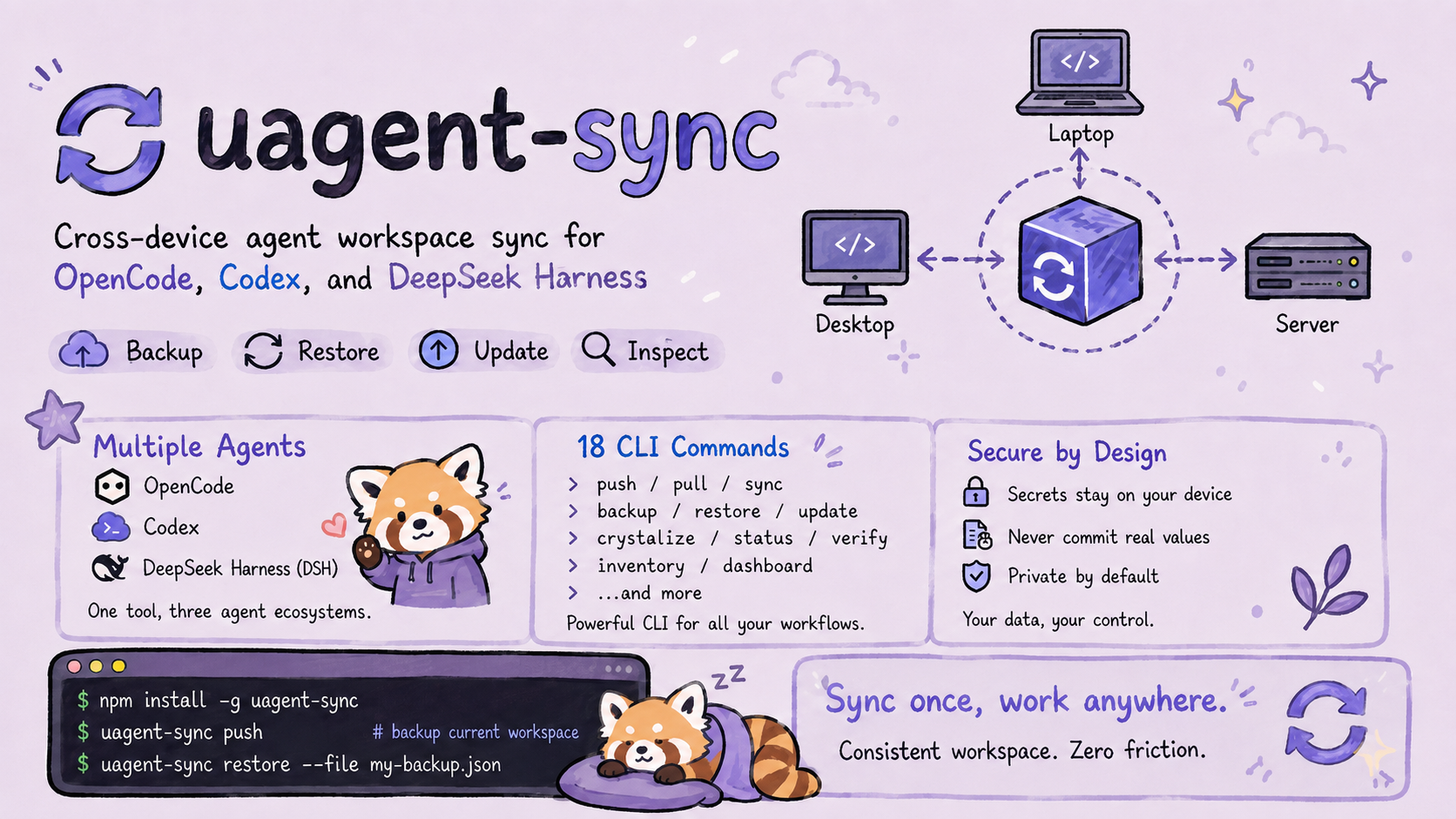




uagent-sync
One command to backup. One command to restore. Your entire dev environment, synced across machines.
Export your agent workspace — submodules, configs, skills, API keys — to a private GitHub repo.
On a new machine, pull it back and everything installs itself.
Why?
You have multiple machines. Each runs opencode and/or Codex with different plugins, MCP servers, skills, and submodules checked out at different commits. Keeping them in sync is a nightmare of git submodule update, npx skills add, and copy-pasting config files.
uagent-sync makes it a single command:
# On your main machine
opencode-sync push "Friday backup"

# On your new laptop
opencode-sync pull
That's it. Submodules reset to exact commits. MCP servers rebuilt. Skills reinstalled. Config merged. API keys templated. Everything just works.
Installation
uagent-sync ships one CLI and three agent entry points. Install the one you use:
DeepSeek Harness
# From npm (recommended — bundles the CLI as a dependency)
dsh plugin --profile <name> add uagent-sync-dsh

# Or from GitHub (monorepo sub-package, pure JS — no build authorization needed)
dsh plugin --profile <name> add "github:severin-ye/uagent-sync#master&path:packages/dsh"
OpenCode
npm install -g uagent-sync        # global CLI (commands: uagent-sync / opencode-sync)
# or run without installing:
npx uagent-sync <cmd>
For OpenCode V1, keep the existing file entry in config/opencode.json:
{ "plugin": ["file:///absolute/path/to/uagent-sync/dist/plugin.js"] }
For OpenCode V2, use its native entry instead:
{ "plugins": ["uagent-sync/v2"] }
A local checkout can use the directory /absolute/path/to/uagent-sync/dist/plugin-v2 after building. V2 skips configured JavaScript file paths. The V2 entry registers the same 16 tools and packaged skills, sharing their validation and business logic with V1; it does not perform a backup or update merely by loading. Existing V1 configuration and the default package export remain supported.
Codex
codex plugin marketplace add severin-ye/uagent-sync
# Then open /plugins in the Codex CLI, install uagent-sync, and start a new session.
Codex extension deduplication
Migration analysis is the single Dashboard module for coverage/gaps, compatibility, functional overlap/deduplication, migration decisions, and execution verification. Choose either uagent-sync dashboard --page migration-analysis with a single Agent (functional duplicates) or an explicit source/target pair (migration comparison); no scope means no comparison scan. Sources are labeled official, third-party, local, or unknown, and official provenance requires controlled install evidence. The agent-browser → browser/chrome mapping is one grouped review item with multiple evidence edges.
The V1 audit ledger usync-dotfiles/agents/codex/policies/extension-conflicts.json is never changed by scans. New confirmed decisions use usync-dotfiles/policies/capability-decisions.json; creation/import happens inside the first write transaction. Codex changes require a staged decision, exact byte-preserving config/ledger diff, and a second confirmation with a one-use token. Timestamped backups are created; restart Codex after applying. OpenCode and DeepSeek are always read-only, and no extension is uninstalled or deleted. The legacy extension write endpoint is disabled; /extension-conflicts is a compatibility alias for the unified Dashboard.
Explain the last update
Say “U同步,讲讲这次更新” (also “U同步,整理更新说明” / “U同步,这次更新了什么”). The existing update Skill reads recorded update evidence and compares old/new Skill and plugin sources, then gives a concise summary and a complete itemized report with source paths. This explanation does not run an update or reinstall. Version-only, documentation-only, unchanged refreshes, failures and unknowns stay separate; missing old sources are disclosed. See the evidence workflow. This is an agent instruction, not a new CLI subcommand.
First backup
opencode-sync init          # detect your workspace
opencode-sync push "init"   # first backup
From source instead?
git clone https://github.com/severin-ye/uagent-sync && cd uagent-sync && npm install && npm run build, then usenode dist/cli.js <cmd>.New machine?
opencode-sync init --init-type sync --github-url <url>thenopencode-sync pull.
Codex Support
uagent-sync is also a Codex plugin (skills + hooks, no MCP): the same CLI and the same skills are shared across both agents.
Install (Codex CLI)
codex plugin marketplace add severin-ye/uagent-sync
# Then open /plugins in the Codex CLI, install uagent-sync, and start a new session.
Install (ChatGPT desktop app / Codex desktop app)
- Open Plugins → Personal → add the marketplace source
https://github.com/severin-ye/uagent-sync - Install uagent-sync and start a new session
What you get after installing
- 5 skills:
uagent-sync-backup(backup workflow),uagent-sync-restore(new-device restore),uagent-sync-update(ecosystem update),uagent-sync-device(device profiles),uagent-sync-crystallize(installation provenance) — loaded on demand, guiding the agent to use the CLI - SessionStart hook: injects CLI usage hints at session start (
PLUGIN_ROOTresolves the plugin root; on Windows it goes through a Git-bash wrapper) - CLI (the single execution channel):
node <plugin>/dist/cli.js <command>— workspace commands shared with the opencode plugin
How it works
uagent-sync/
├── .codex-plugin/plugin.json   # Codex plugin manifest (skills + hooks, mcpServers slot reserved)
├── hooks/                      # hooks-codex.json + run-hook.cmd + session-start
├── skills/                     # 3 SKILL.md files — shared by opencode and Codex
├── src/plugin.ts               # opencode plugin (config hook auto-registers the skills dir)
├── packages/dsh/               # DeepSeek Harness bundle (16 sync_* tools → CLI bridge)
└── src/cli.ts                  # shared CLI — the single execution channel for all three
DeepSeek Harness Support
uagent-sync ships as a DeepSeek Harness bundle (packages/dsh/): 16 sync_* tools bridged to the same CLI. 中文名:U同步 / 优同步。
Install
# From npm (recommended — uagent-sync-dsh depends on uagent-sync, so the CLI ships along)
dsh plugin --profile <name> add uagent-sync-dsh

# From GitHub (monorepo sub-package, pure JS — no build authorization needed):
dsh plugin --profile <name> add "github:severin-ye/uagent-sync#master&path:packages/dsh"

# Or from a local checkout (auto-discovers dist/cli.js):
dsh plugin --profile <name> add ./packages/dsh
The plugin locates the CLI in this order: cordis.yml config.cliPath → env OPENCODE_SYNC_UAGENT_SYNC_CLI → local-checkout relative path → npm dependency uagent-sync/dist/cli.js → workspace recursion (walk up to .gitmodules, then find uagent-sync/dist/cli.js). Details: packages/dsh/README.md.
DeepSeek Harness is currently Developer Preview; see the plugin docs for the current bundle/patch format.
Workspace Root Resolution
Every node dist/cli.js * command needs to know the workspace root (the directory containing .gitmodules). Resolution order:
- Env var
OPENCODE_SYNC_WORKSPACE_ROOT=<path>(explicit, highest priority) - Fixed cache
~/.config/opencode/sync-cache.json(reachable from any working directory) - Legacy cache auto-migration (
usync-dotfiles/state/sync-cache.json, written by v1.0.0) - Walk up from the opencode process working directory looking for
.gitmodules
Launching opencode from the desktop, home directory, or the OpenChamber default directory works fine — no need to start inside the workspace. If all four paths fail, the error message includes actionable guidance.
What It Syncs
| Category | What | How |
|---|---|---|
| Submodules | All repos, exact commit hash | git clone + git reset --hard |
| OpenCode Config | plugins, MCP servers, providers | Deep-merge, never overwrite |
| Skills | Installed skills from git sources | skills add <source> -g |
| API Keys | Names + descriptions (never values) | Template file at keys/API.md — the keys/ directory is gitignored in usync-dotfiles, so real values only ever exist locally |
| Dependencies | gh CLI, Ralph, Skills CLI | Auto-install via winget/brew/apt/npm |
| Windows Fixes | NTFS path issues | Auto-detects problematic filenames, applies git config core.protectNTFS |
| Install Log | Every install, its source, any pitfalls | state/install-log.json — provenance you can trust |
Multi-agent configuration console
Inspect Codex, OpenCode, and DeepSeek Harness configuration without changing it:
opencode-sync inventory --json
opencode-sync dashboard
The dashboard binds to 127.0.0.1 by default and prints the actual local URL. Phase 1 is read-only: it visualizes Skills, instructions, MCP declarations, hooks, plugins/tools, portability, and migration gaps. Secret values, sessions, memories, provider credentials, permissions, themes, shortcuts, UI state, and caches are excluded. DeepSeek MCP remains marked unverified until local evidence proves support.
🌐 Language (English / 中文)
Output defaults to English and can be switched to Chinese per run or persistently:
- CLI:
--lang zhflag, orUAGENT_SYNC_LANG=zhenvironment variable (system locale is the fallback, then English). - Dashboard: use the 中文 / EN toggle in the top bar — the choice is remembered in
localStorage(uagent-lang). - Generated documents (SYNC-GUIDE.md, know-how files) follow the active language.
opencode-sync api-keys detect            # English by default
opencode-sync api-keys detect --lang zh  # Chinese
UAGENT_SYNC_LANG=zh opencode-sync guide  # Chinese guide
CLI commands
Run any command as node dist/cli.js <command> (or opencode-sync <command> after npm link).
| Command | What it does |
|---|---|
init | Detect workspace, guide first-time setup. Only asks once. |
backup --all | Codex: commit and push projects to their existing GitHub repositories; publish settings, rules, Skills, memories and installed plugin content to the registered PRIVATE configuration registry. Use --dry-run to preview; --workspace-files git-only explicitly defers non-Git workspace files and captures plugin runtime content. Omissions and failures remain explicit. See scope and recovery. |
push | Export state → commit → push to GitHub. One command. |
pull | Pull from GitHub → restore everything. One command. |
export | Export full workspace state as JSON |
import | Restore from JSON (with --dry-run preview) |
diff | Compare current state vs saved state |
status | Show every submodule: commit, branch, dirty? |
verify | Health check: gh, git, config, ralph, skills, submodules |
setup | Install everything: gh, submodules, config, ralph, skills CLI, skill packages |
create-repo | Create a private GitHub repo (warns if public) |
api-keys | Detect, template, or add API keys |
guide | Generate guide/SYNC-GUIDE.md — the restore playbook |
log | Read/write install provenance log |
crystallize | Record install + regenerate docs + export state + commit in one shot |
update | Update installed, recognized managed components only. Codex remote plugins use their original remote identity, so duplicate names cannot select another plugin. Local/host-managed and disabled plugins are skipped. Each remote install retains a local rollback copy, verifies bundled Skills with a fresh app-server, and can retry an explicitly busy cache once after strictly checking an idle MCP process tree. Equal versions report current/refreshed. Missing MCP/CLI tools are skipped. Self-update tests/packages an isolated temporary origin/master clone without changing the user's branch or files, then verifies global CLI and Codex plugin runtime. Required failures exit non-zero. |
changelog | Draft categorized changelog from the latest update report |
inventory | Inspect Codex/OpenCode/DeepSeek Harness configuration (read-only, secrets excluded) |
dashboard | Start a local read-only configuration dashboard (127.0.0.1 by default) |
The MCP-server form (v1.0.0) was removed — since v1.1.0 only the opencode plugin form and the standalone CLI exist. Tool/command names keep the
opencode_sync_*/node dist/cli.jsprefixes for compatibility.
Architecture
uagent-sync/                  # ← This repo (code only, never modified at runtime)
├── src/
│   ├── application/           # Shared verify/export/import/setup/update/push/pull use cases
│   ├── ports/                 # File system, Git, process, and Agent contracts
│   ├── adapters/              # Node/Git/process and Agent scanner implementations
│   ├── artifacts/             # Versioned WorkspaceState read codec and migrations
│   ├── entrypoints/           # Presentation-only formatters
│   ├── lib/                   # Existing domain implementation and compatibility modules
│   ├── sync.ts                # Public compatibility + architecture barrel
│   ├── plugin.ts              # OpenCode plugin entrypoint
│   └── cli.ts                 # Standalone CLI with device and unified backup commands
├── skills/                    # 5 shared skills (OpenCode + Codex; DSH bridges backup/restore/update)
├── hooks/                     # Codex SessionStart hook
├── .codex-plugin/             # Codex plugin manifest + marketplace
├── test/                      # node:test suites (run `npm test`)
├── .github/workflows/         # CI + Release automation
├── CHANGELOG.md               # Keep a Changelog
├── RELEASING.md               # Release playbook
└── dist/                      # Compiled output

usync-dotfiles/             # ← Runtime data (separate repo, synced via Git)
├── state/                     # Runtime state files
├── guide/                     # Auto-generated docs
├── keys/                      # API key templates
├── config/                    # OpenCode config templates
├── sessions/                  # Chat history (from session-recorder plugin)
└── scripts/                   # Bootstrap scripts
Code never touches data. The plugin lives in one directory. All generated files go to
usync-dotfiles/. Clean separation.
The implemented dependency direction is Entry → Application → Domain/Ports ← Adapters. WorkspaceState v3 is the validated in-memory read contract; current wire exports remain backward-compatible. DSH and all restore scopes fail closed because they do not yet have restore writers/contracts. See docs/ARCHITECTURE.md for concrete boundaries, Codex-only isolation, permanent codebase-memory-mcp deletion, and the runtime scanner extension boundary. A supported fourth Agent still requires explicit AgentId, paths, Dashboard, migration-context, and host-contract work.
Development
git clone https://github.com/severin-ye/uagent-sync
cd uagent-sync
npm install
npm run typecheck    # tsc --noEmit
npm run build        # TypeScript → dist/
npm test             # full node:test suite
npx playwright install chromium  # one-time browser setup
npm run test:e2e     # real dashboard browser workflow
CI gate (GitHub Actions, Windows, Node 22.22.2/24.19.0): build, unit tests, and the Playwright browser E2E must all pass before merge.
Release
See RELEASING.md. Compare the actual published baseline, synchronize both package versions, verify and pack both tarballs, then publish the CLI before the DSH bundle. Registry installation and fixed-artifact host lifecycle checks follow publication.
Security
- Command injection hardened:
shellEscape()wraps all user input before shell execution. Git commits use-Ffile input instead of-mstring interpolation. - Path traversal guarded:
isPathSafe()validates all file paths resolve within workspace root. - Zod schema enforced: Every input validated with
.min(),.max(),.strict()before touching the filesystem. - Secrets never exported: Only environment variable names are recorded. Values stay on your machine.
- Private repos by default:
create_repocreates--private. Warns if existing repo is public.
Contributing
PRs welcome. Test-first: new features ship with tests, bug fixes ship with a failing-then-passing regression test. Check evaluation.xml for the test suite design.
🤖 For AI Agents: See
AGENTS.md— a complete step-by-step guide that enables any AI agent to install, configure, and run full backup/sync workflows with zero additional prompts. Just point the agent at this repo.
License
MIT © 2026 uagent-sync contributors
简体中文 | English
Multi-device handoff (source development)
The new device command provides configurable device registration, workspace coverage reports, personal Codex profile snapshots, conflict-aware restore, and explicit private-registry transport. See current usage and limitations. The 3.0.0 distribution includes these commands; completed private backup or second-device restore still requires its own acceptance evidence.