dsh-artel
ksolodev/dsh-artel
Runs a development task in an isolated copy of the project: Solo runs one agent, Swarm runs three agents in the same copy that message each other via send_message/list_agents, and Conductor adds a lead that hands out the shares, answers stuck agents and accepts the work as a whole (up to two rework rounds); the resulting diff is shown per file and only the files you approve are applied. Its HTTP routes have no DSH access check, so a web page open in your browser could call them.
Instalar
dsh plugin --profile web add github:ksolodev/dsh-artelREADME
dsh-artel


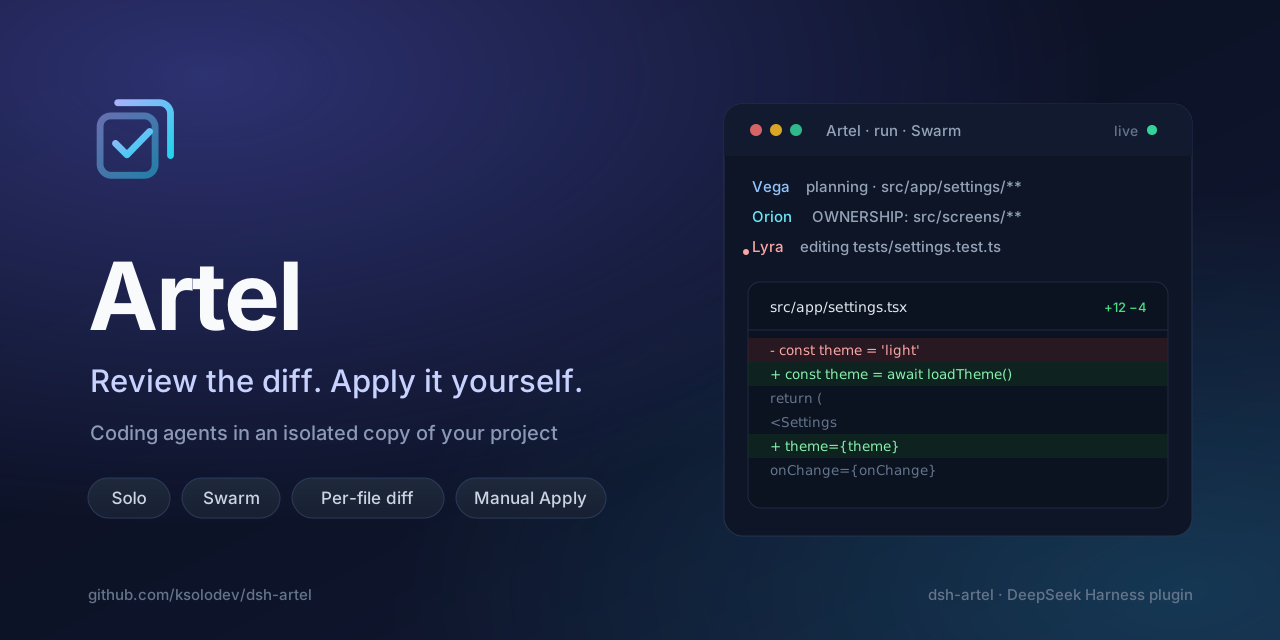
Run a development task in an isolated copy of your project, watch the work as it happens, review the diff line by line, then apply it yourself.
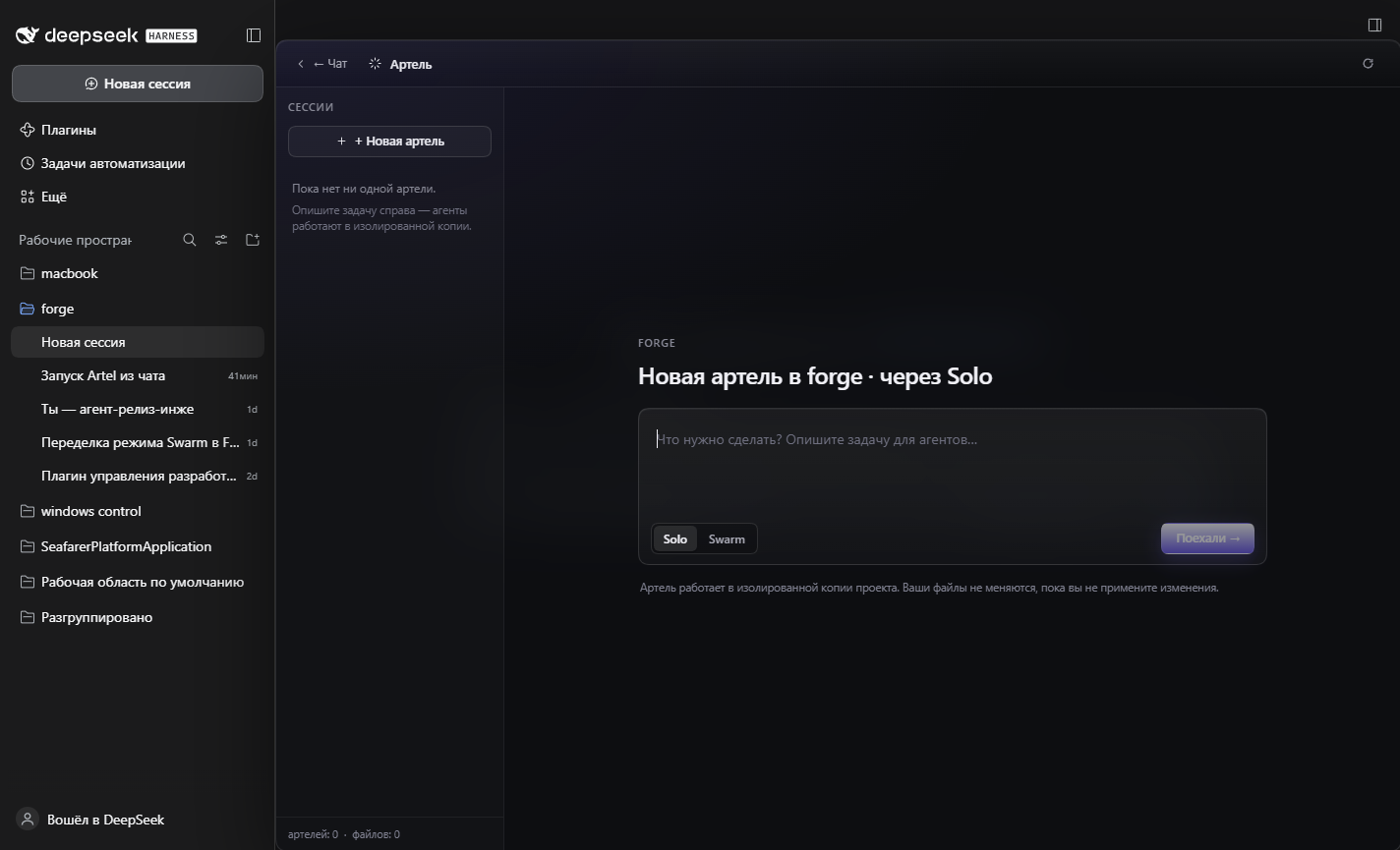
Artel is a DeepSeek Harness plugin. It adds an Artel icon button to the chat composer tool row, next to +. The button covers the current chat with a panel: the session rail of Artel runs on the left, and either the new-run form or the live run on the right. The chat session's working directory is the project; Artel never touches it until you apply.
Install
Artel is a DSH bundle: it installs with the standard plugin CLI and needs no build step.
From npm
dsh plugin --profile <profile> add dsh-artel
From the release tarball — download dsh-artel.tgz from the
latest release, then:
dsh plugin --profile <profile> add C:/path/to/dsh-artel.tgz
From a checkout — point the plugin CLI at the directory:
dsh plugin --profile <profile> add C:/path/to/dsh-artel
A directory install is recorded as a link: dependency, so edits in the checkout are live after a
host reload. In the desktop app you can also use Settings → Plugins → Install from file and pick
the .tgz or the checkout folder.
After installing, restart DeepSeek Harness (or reload the page, which recomposes the client boot graph), open a chat session that has a project directory, and click Artel in the composer tool row. The plugin's host half talks to the client over a loopback-only HTTP API, so the plugin and the host must run on the same machine.
How it works
- Copy — Artel copies the project into a fresh directory under your DSH home.
node_modulesis linked, not copied, so the agents can still run the project's checks. The real project is not touched. - Agents — one agent works in the copy in Solo;
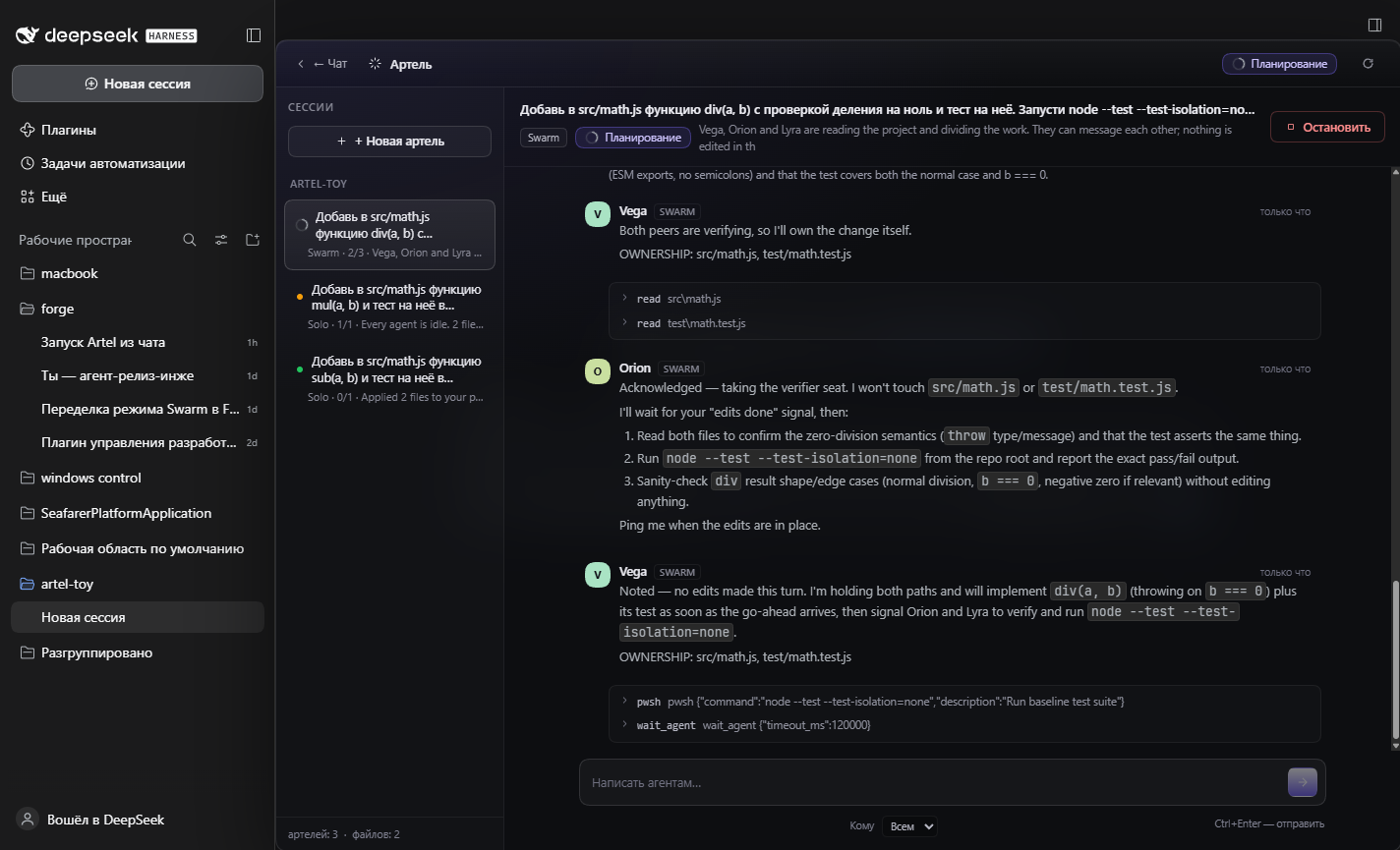
swarmAgentCountagents (three by default) share one copy and one agent tree in Swarm, so they can message each other withsend_message/list_agents. The first Swarm turn is planning only: the agents divide the files and announce who owns what. Conductor puts a lead on top of the same team: one conductor Session with the workers as its subagent children; the workers propose the shares, the conductor approves them, answers the team without you and accepts the finished copy. The agents run unattended: Artel gives them the approval policyneverand inherits the sandbox mode of the chat session, so a run never stalls on an approval prompt. - Diff — when every agent goes idle, Artel stops the run and fills the Changes card on the run page: every changed file with added and removed line counts and a line-by-line diff.
- Apply — you press Apply and confirm. It writes every changed file into the project. Before writing, Artel checks each file against the state it had when the run started; a file you edited during the run is reported and the whole apply is refused, so nothing is half-written. Discard deletes the copy and changes nothing.
Three ways to run a task
Solo — one agent does the whole task in its own copy of the project. It reads the code, edits the copy, and runs whatever checks it needs. Use it when the task is small and well understood: fix a bug, add a screen, change some text.
Write the task the way you would write it to a colleague: what should come out, and where in the project it lives. The agent finds and reads the files itself.
Swarm — swarmAgentCount agents (three by default) share one copy and one conversation tree. Their
first turn is a planning turn: they make no edits, they divide the files among themselves and say out
loud who owns what, so that nobody edits the same file. They can also message each other directly: the
team has send_message/list_agents, so a question, a heads-up or a promise to take an area reaches the
other agents as a real turn, and every such message appears in the shared feed. After the planning
turn they work in parallel, read each other's edits on disk, and Artel flags any file that two agents
touch. Checks run once, against the whole copy.
Use Swarm when the work splits into pieces that do not meet in the same files.
Conductor — one conductor and swarmAgentCount workers share one copy, like Swarm, but the team has
a lead who answers for the result. It opens with a planning turn: the workers propose a narrow area
each, the conductor approves the layout or reassigns it, and nothing is edited until the shares are
handed out. While the team works, a worker's question goes to the conductor and comes back without
waiting for you, and a worker that stops is replaced: the conductor moves its files to another worker.
When every worker is idle, the conductor reviews the whole copy — it reads the changes, runs the
project's checks and compares the result with the task. If the goal is not closed, it sends the work
back to the named workers, at most twice. Accepted work waits for you like in the other modes: the
Changes card shows the diff, and only your Apply writes it into your project.
Use Conductor when the shares are easy to mix up and the whole result must be verified before it reaches you. It needs the subagent stack in the DSH profile; there is no independent-session fallback.
Models — the new-run form picks the provider, model and reasoning effort from the routes the DSH profile actually advertises, and every agent of the run starts on that route. On the run page each agent has its own two pickers, so a member can plan on a cheap model and edit with a strong one: changing a row reroutes that one agent from its next step (the running step keeps its route), and a route the Host cannot reach leaves the agent on the profile default with a warning in the feed.
Review and apply
While a run is active, the run page shows the live feed of every agent: full replies with the avatar, name, role and time, grouped tool calls, and separate rows for status, plans, your messages, agent-to-agent messages, edit collisions and errors. You can write to the agents at any time without waiting for them to finish (Ctrl+Enter sends); address everyone or one specific agent.
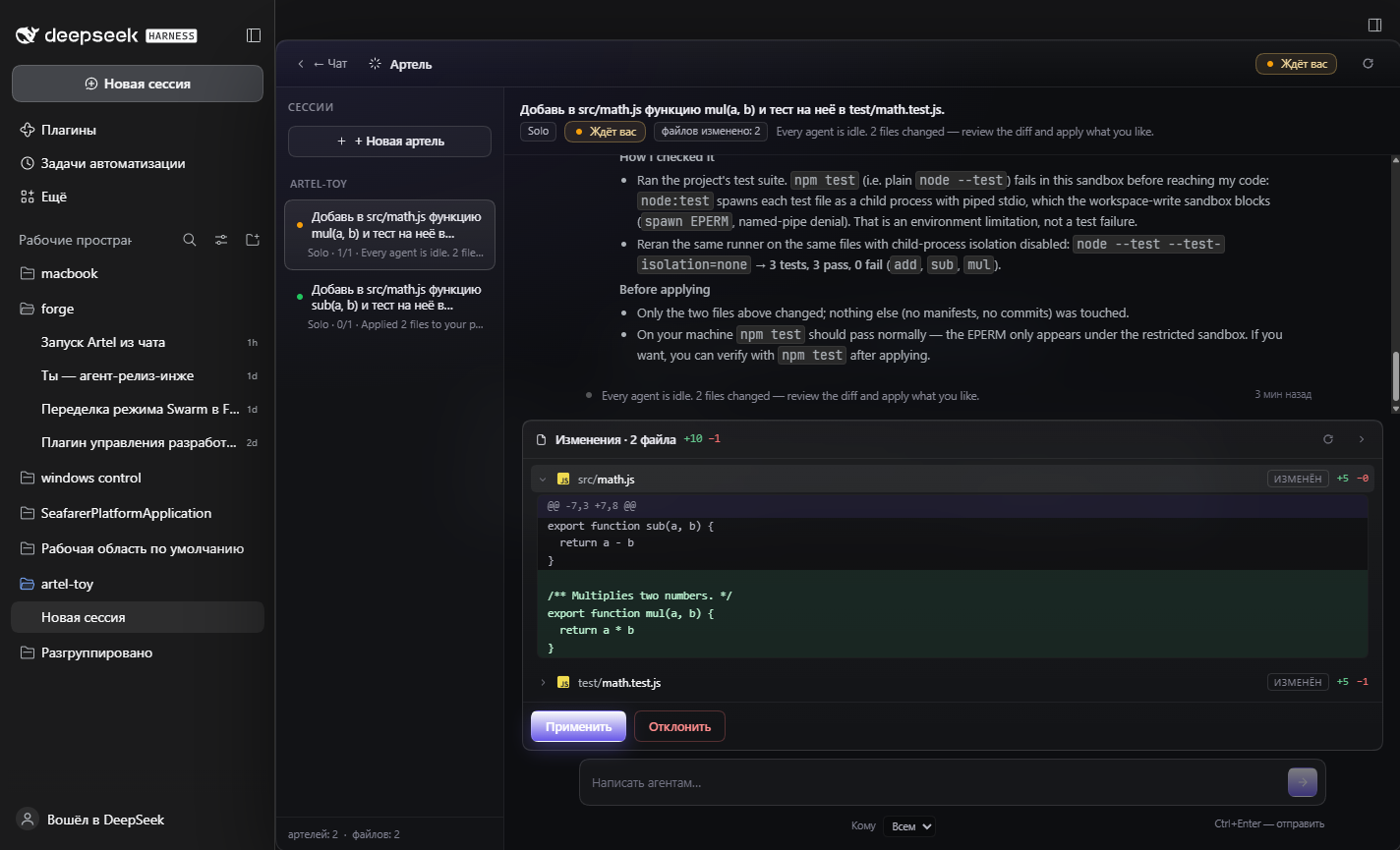
When every agent is idle, Artel stops and waits for you:
- Changes lists every changed file with added and removed line counts. Open a file to see the diff.
- Apply asks for confirmation and writes every changed file into your project. A file that you edited during the run is never overwritten: Artel reports it and refuses the whole apply, so you can discard and run again.
- Discard asks for confirmation, deletes the copy and changes nothing.
The copy lives outside the project, under your DSH home directory. It is deleted as soon as you apply or discard the run, so reviewed copies do not pile up on disk.
Open it
- Open a chat session that has a project directory.
- Click the Artel button in the chat composer tool row (next to +). While a run in the session is active, the button shows a dot.
- Pick Solo, Swarm or Conductor, write the task, press Go → (or Ctrl+Enter). Chat (with a back chevron) or Esc returns to the chat; the chat itself is not replaced.
The panel belongs to the chat session: the Sessions rail lists every run of the session, grouped by
project, with the active one highlighted, and New session returns to the form. Each agent works in
the copy as its working directory. The first agent of a Swarm or Conductor run is an ordinary DSH
session — in a Conductor run that is the conductor — and the other agents are its subagents, live in the
same agent tree, and are not listed in the sidebar as separate chats. Solo agents are ordinary sessions
as well, titled Artel · <agent> — <task>; archive or delete those sessions when you no longer need
them.
Upgrading from dsh-forge
The plugin was renamed to Artel (the npm name dsh-forge belongs to an unrelated placeholder package).
On its first start the Host moves the previous data root from <DSH home>/forge/<profile> to
<DSH home>/artel/<profile>, so existing run records, feeds and copies stay available. The plugin id
changed with the name: an open Forge page does not restore Artel, so restart DeepSeek Harness and open
Artel once from the chat composer.
Requirements
- DSH
^0.2.2-rc.1with a Host that provides the session controller (the desktop app ordsh web). - Node
^22.19.0 || >=24— the same runtime the Host uses. - No Git, no extra binaries and no global install: copies, diffs and applying are done by the plugin.
Configuration
All values are optional; set them in the bundle's plugin configuration.
| Key | Default | Meaning |
|---|---|---|
swarmAgentCount | 3 | Workers per Swarm or Conductor run (2–8). A Conductor run adds the conductor on top, so it starts 1 + swarmAgentCount agents. |
maxRunsPerSession | 10 | Finished runs kept per session; the oldest are dropped with their copies. Runs waiting for you stay. |
keepCopiesHours | 72 | Retention window for run copies, in hours (0 disables). The current startup sweep removes copies of applied and discarded runs regardless of age. |
diffContext | 3 | Context lines around each diff hunk (0–12). |
idleGraceMs | 1200 | How long Artel waits for a possible agent-to-agent message before it calls the run idle (0–10000). |
excludeGlobs | [] | Extra paths never copied, diffed, or applied. |
copyRoot | <DSH home>/artel/<profile>/copies | Where run copies are created. |
stateDir | <DSH home>/artel/<profile>/state | Run index and feeds. |
A Conductor run starts one conductor plus swarmAgentCount workers and needs the subagent stack in the
DSH profile. A profile without it refuses a Conductor run with an error; unlike Swarm, there is no
independent-session fallback.
Limitations
- The project is copied as files, not through Git. Git metadata is not copied, and Artel does not require Git to be installed.
- A copy is limited to 512 MB in total and 32 MB per file. A project above the total limit is refused with an error instead of a partial copy; files above the per-file limit are left out of the copy.
node_modulesis linked into the copy instead of copied, so agents can run project checks.- Artel watches the copy, not your project: it cannot know about edits you make during the run until you apply, and then it refuses to overwrite those files.
- Only files are applied. Deleted files are deleted on Apply; renames arrive as one deletion and one addition.
- Apply is all-or-nothing for the run: either every changed file is written or, if a file conflicts, none is. The changes card has no per-file selection.
- Swarm and Conductor agents live in one agent tree: the first agent is the session at the root of that tree (the lead of a Swarm run, the conductor of a Conductor run) and the rest are its subagents. That is what lets them message each other, and it means the root session must exist for their messages to be delivered. Closing that session (or restarting the Host) ends the transport, exactly like the "runs stop on restart" rule below. A profile that does not provide the subagent stack falls back to three independent sessions for Swarm: the run still works, but the agents cannot message each other and coordinate only through the ownership line and the files on disk. A Conductor run has no such fallback — it is refused.
- In Conductor mode the conductor reviews the whole copy at most twice: a third request for rework is turned into an accept with remarks, and the remarks travel with the changes into your hands. Accepting a run is not an apply — the changes card shows the diff and only your Apply writes the project.
- While the conductor is deciding the shares, reviewing the copy or handing a share over, Artel refuses new messages from you (the feed says the conductor is deciding); from the next stage writing is possible again.
- If no one claims a file, Artel hands the unclaimed files that sit next to claimed work to the agents that claimed nothing, and marks them in the plan as "nobody claimed it" — so nobody idles through a run. If the task is small enough for one agent, the other two end up verifying the copy and say so in their summaries instead of inventing work.
- Restarting the plugin or the Host interrupts active runs. Their work stays reviewable and can still be applied or discarded, but the agents stop and no longer accept messages.
Data and privacy
Run records and feeds are plain JSON and JSONL files under stateDir. Agent conversations are
ordinary DSH sessions and stay in your session store. The plugin's host half talks to the client over
a loopback-only HTTP API; every request is checked for a local socket, a local Host header and a
same-origin origin.
Development
node --test test/*.test.js
No build step: the host half is plain ESM (lib/*.js) and the client half is hand-written
React.createElement (lib/client.js). CI runs the suite on Ubuntu and Windows with Node 22 and 24.
- ARCHITECTURE.md — host/client design, the run and data model, the route surface.
- docs/publishing.md — how a release is packed, published and listed.
- docs/guide.md, docs/guide.ru.md, docs/guide.zh.md — the user guide (en / ru / zh).
- CHANGELOG.md — release notes.
License
MIT © dsh-artel contributors — see LICENSE.
Plugins relacionados
deepseek-harness
deepseek-ai/deepseek-harness
dsh-market
dsh-market/dsh-market
dsh-web (dsh-plugin-manager)
zhu1090093659/dsh-web
dsh-web
zhu1090093659/dsh-web